
EU/UK Compliance in Stripe: Receipts vs Invoices vs Credit Notes (What’s Legally Valid and How to Configure Billing)
A single misclassified e-invoice can trigger VAT reporting errors that add hours of reconciliation for small merchants. E-invoices and e-receipts are digital billing documents: e-invoices record the taxable supply and accounting entry, while e-receipts confirm payment and follow different retention rules. This article explains the legal differences between e-invoices, e-receipts, and credit notes for EU and UK Stripe billing, plus SMB-focused steps to configure Stripe and follow the RouteReceipts setup guide for compliant routing and bookkeeping. DIY receipt routing often creates audit gaps and extra bookkeeping; our RouteReceipts app lets teams manage an allowlist inside the Stripe dashboard without custom webhooks. Below we map legal thresholds and a compact Stripe plus RouteReceipts checklist that prevents VAT mistakes and reduces inbox clutter.
How do EU and UK rules treat e-invoices, e-receipts, and credit notes for Stripe billing?
E-invoices are the formal electronic tax documents that tax authorities expect to contain specific fields; e-receipts are proof-of-sale that only count as invoices when they include those same required fields; credit notes are corrective tax documents that must reference the original invoice and show adjusted VAT amounts. Finance teams using Stripe must map required invoice data into Stripe invoice and customer metadata, decide when a receipt meets invoice rules for each jurisdiction, and preserve an auditable chain linking invoices, receipts, and credit notes.
What must an e-invoice include? 🧾
An e-invoice is an electronic tax document that must include issuer and recipient identification, a unique invoice number, invoice date, taxable base, VAT rate(s) and VAT amounts, and any country-specific fiscal identifiers. Many EU member states and the UK require these data points for VAT reporting or to validate zero-rated intra-community supplies. Practical mapping to Stripe: use invoice.number (or invoice.metadata.invoice_number) for the unique identifier, invoice.created for date, customer.name and customer.tax_ids for recipient identification, line item totals and invoice.total_tax_amounts for the taxable base and VAT amounts, and customer.metadata for additional fiscal fields such as company registration or local fiscal ID.
- Required fields (common):
- Issuer name, address, VAT number. Map to your account metadata and invoice footer.
- Recipient name, address, VAT number (if B2B). Store on customer.tax_ids.
- Unique invoice number and issue date. Use Stripe invoice.number.
- Line-item taxable base, VAT rate per line, VAT amount per line.
- Total invoice amount and currency.
Stripe stores the core fields but does not add country-specific fiscal identifiers automatically. Use Stripe invoice/customer metadata and a consistent numbering scheme. RouteReceipts does not change invoice content but ensures receipts land only with customers who expect tax documents, reducing accidental distribution. See the installation and metadata setup in our Documentation for step-by-step guidance.
When does an e-receipt qualify as a tax invoice? 🎫
A receipt qualifies as a tax invoice only when it contains every legally required invoice field for the buyer's jurisdiction and the issuer accepts it for VAT reporting. B2B transactions typically require full invoice data always, while many B2C transactions allow simplified receipts below a monetary threshold (examples vary by country, often between EUR 100 and EUR 400). If a receipt omits the buyer VAT ID or itemized tax amounts, it usually cannot replace a full invoice for B2B VAT recovery.
| Scenario | Typical legal requirement | When a receipt suffices | Stripe/RouteReceipts action |
|---|---|---|---|
| B2B domestic or intra-EU | Full invoice with VAT ID | Never, unless the receipt includes buyer VAT ID and full tax breakdown | Capture VAT ID at checkout; store on customer.tax_ids; send full invoice email |
| B2C low-value sale | Simplified receipt often permitted | If total below local threshold and tax line shown | Send receipt only; no invoice required unless customer requests |
| Cross-border consumer sale | VAT usually charged at seller rate (or OSS) | Receipt may suffice for reporting but keep export metadata | Store customer country and VAT treatment in metadata |
Practical steps: collect VAT ID at checkout for B2B, flag customers who require formal invoices, and use RouteReceipts to send invoice-level emails only to those customers. For more on selective delivery and the allowlist UX, see Why Did We Build Route Receipts? and the setup guide in our Documentation.
💡 Tip: Collect buyer VAT ID and billing address at point of sale. That single data point resolves many questions about whether Stripe receipts are valid tax invoices in the EU for B2B customers.
How are credit notes treated for VAT and bookkeeping? 🔁
A credit note is a corrective tax document that must reference the original invoice number, state the adjustment amount, show the recalculated VAT, and explain the reason for adjustment. Credit notes reduce previously reported VAT and revenue; how and when the VAT is adjusted depends on national rules (for example, some jurisdictions require adjustment in the same return period if the error is detected quickly). Auditors expect a clear audit trail linking the original invoice, the credit note, and any refund or reversal transactions.
In Stripe, create a credit note linked to the original invoice and include a reason and reference in metadata so accounting systems can reconcile entries. Accounting impact example: issue a credit note for a returned item, reduce sales revenue by the net amount, and reduce VAT liability by the VAT portion. RouteReceipts keeps a decision audit log of who received which documents; include that audit log in your month-end package to show regulators which customers received original invoices and which received credit notes.
⚠️ Warning: Do not simply void or delete an invoice that has already been reported for VAT. Always issue a credit note and keep the chain of records for audits.
Which country-specific standards matter for SMBs (PEPPOL, XML schemas, fiscalization)? 🌍
PEPPOL, national XML schemas, and fiscalization regimes impose format, transmission, or real-time reporting rules that determine whether an e-invoice will be legally accepted in a given country. Examples: Italy uses the SDI (FatturaPA) transmission channel for many domestic B2B invoices, Spain has SII reporting for certain taxpayers, and PEPPOL is increasingly required for public sector procurement across multiple EU states. Hungary, Poland, and others enforce real-time or near-real-time reporting for high-volume VAT tracking.
Practical consequences for SMBs exporting in the EU/UK:
- Format: Some buyers, especially public bodies, require structured XML (PEPPOL BIS or national schemas) rather than a PDF. You must either export structured files from your ERP or use a channel provider.
- Transmission: PEPPOL needs a certified access point. National fiscalization may require sending invoices to tax authority channels.
- Interoperability: If you sell to multiple EU countries, plan for format conversion or use a provider that supports multiple schemas.
SMB action plan (step-by-step):
- Identify the countries where you sell and check whether PEPPOL or national reporting applies.
- Capture required fiscal metadata in Stripe at the point of sale (VAT ID, company registration, invoice language, delivery channel).
- If structured e-invoices are required, integrate with an invoicing/ERP provider that supports PEPPOL or national XML. RouteReceipts handles selective delivery of receipt emails but does not convert invoice formats; pair it with your chosen transmission provider.
For configuration details on routing receipts from Stripe and maintaining an allowlist, see our Documentation and the beginner's guide to no-code selective delivery in the blog.
What practical strategies ensure compliance and reduce accounting workload when issuing e-invoices and e-receipts?
Use structured e-invoices for transactions that require tax reporting and send simplified e-receipts only where law allows or customers prefer them. This approach reduces VAT reporting errors and cuts the volume of unnecessary emails sent to customers. Implement selective receipt routing with RouteReceipts, add validation checks on Stripe invoices, and keep timestamped audit evidence to shorten reconciliation and support audits.
How should B2B and B2C workflows differ? 📊
B2B workflows should produce full e-invoices with recipient VAT IDs, sequential invoice numbers, and PO matching; B2C workflows can use simplified receipts unless local rules require a full invoice. Full e-invoices make VAT filing and reverse-charge treatment straightforward. For example, a supplier issuing an e-invoice that includes the buyer's VAT ID avoids later rework when the buyer claims reverse charge.
Use RouteReceipts to ensure enterprise customers receive the full invoice documents while consumers get simplified receipts, avoiding misdelivery of sensitive tax documents. See the RouteReceipts documentation for steps to create an allowlist and prevent duplicate emails.
| Use case | Document outcome | Recipient data needed | Delivery expectations | Common ERP mapping points |
|---|---|---|---|---|
| B2B (domestic, VAT-registered buyer) | Structured e-invoice with VAT fields and sequential number | Buyer VAT ID, billing address, PO number | Send as official invoice; attach PDF and metadata | Map to vendor/customer ID, VAT code, invoice number, PO match |
| B2B (cross-border, reverse-charge) | Structured e-invoice flagged for reverse-charge | Buyer VAT ID, supplier tax ID, invoice language | Immediate delivery; include tax note for buyer | Map to transaction tax handling, reverse-charge flag |
| B2C (domestic consumer) | Simplified e-receipt or POS receipt | Email, billing address (if required locally) | Fast email delivery; low data required | Map to sales ledger, payment channel |
| B2C (cross-border consumer) | Receipt with local VAT treatment or full invoice if law requires | Email, billing address, consumer tax ID if required | Deliver per local VAT rules | Map to consumer sales tax reporting |
How does RouteReceipts reduce errors and administrative cost? 🛡️
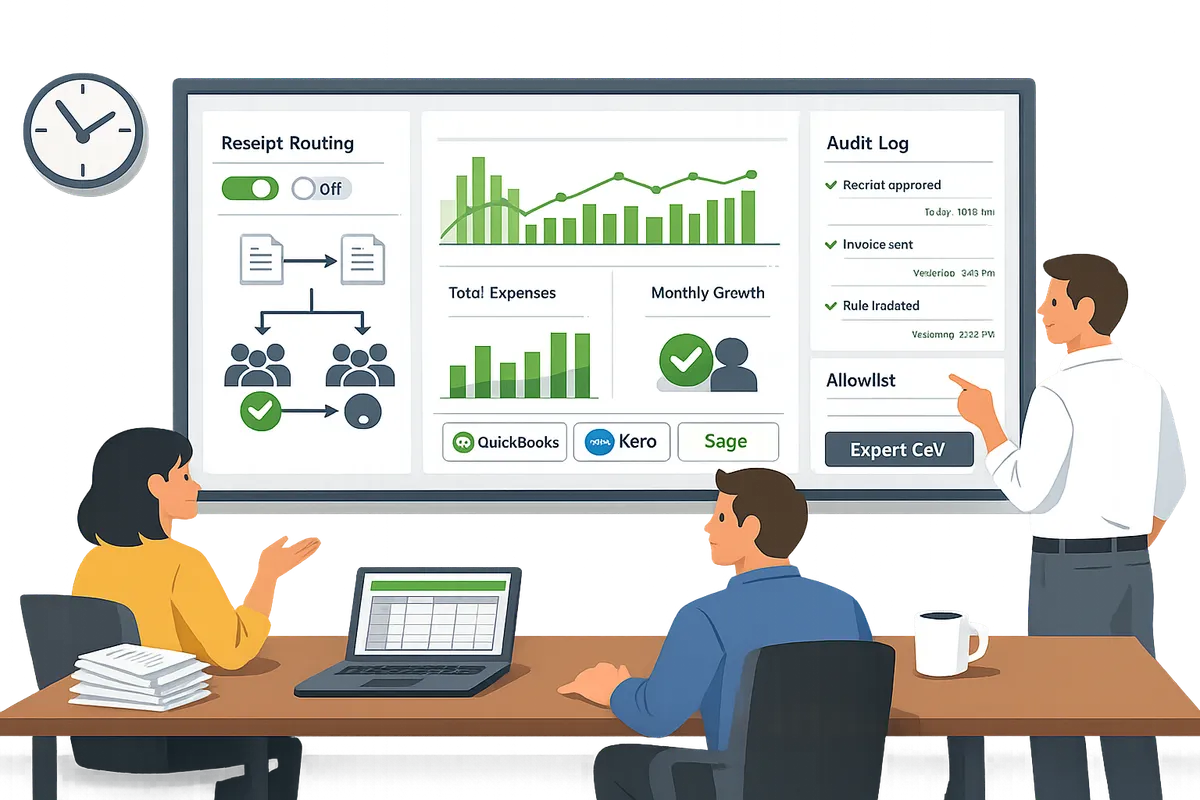
RouteReceipts reduces errors and admin cost by sending receipt emails only to allowed customers and recording each routing decision in a timestamped audit log. The app uses an allowlist you manage from the Stripe dashboard so finance teams do not need custom webhooks or engineering time to block or permit receipts. The decision audit log provides traceable evidence of why a document was or was not sent, which reduces manual investigation during audits.
Practical example: a payments team prevents accidental delivery of full e-invoices to consumer addresses by using RouteReceipts rules, removing the need to chase corrections or reissue documents. Follow the step-by-step installation in the RouteReceipts documentation and check the FAQ for common setup questions.
Tip: Disable Stripe’s automatic receipt emails before enabling RouteReceipts to avoid duplicate messages.
Which validation and audit practices speed reconciliation? ✅
Run validation checks (VAT ID presence, sequential invoice numbering, PO matching, itemized tax breakdown) and keep timestamped artifact storage to reduce manual reconciliation. Validation cuts ambiguity early: for example, matching the PO number on an invoice typically removes one round of back-and-forth between procurement and accounts payable.
Recommended validation checklist to run on Stripe invoices and receipts:
- Verify invoice numbering is sequential and unique.
- Confirm VAT ID formats where required (store as metadata).
- Match customer PO numbers to invoice metadata before posting.
- Validate tax amounts against line-item tax rates.
- Confirm delivery method (email vs portal) recorded in metadata.
Where to store audit evidence for VAT audits:
- Save the original PDF invoice/receipt in your ERP or cloud archive with immutable timestamps.
- Attach Stripe charge IDs and RouteReceipts decision-log entries to the stored file.
- Export logs monthly and retain per local retention rules.
RouteReceipts' decision audit log integrates with this workflow by providing a clear trail of who was allowed to receive a receipt and why. See the documentation for export and troubleshooting guidance.
How to handle cross-border sales and VAT treatment? 🌍
Flag cross-border B2B sales for reverse-charge treatment and include both buyer and supplier tax identifiers on the e-invoice; flag cross-border B2C sales for local VAT obligations and consider issuing a receipt if law allows. Missing the correct flag triggers VAT misfiling and costly corrections.
Cross-border checklist for deciding between e-invoice and receipt:
- If the buyer is VAT-registered in the EU and supplies a valid VAT ID, issue a full e-invoice and mark reverse-charge.
- If the buyer is a consumer, apply destination-based VAT rules and issue a receipt unless local law requires a full invoice.
- If local fiscalization rules require signed electronic invoices, always issue an e-invoice.
- Record tax jurisdiction, buyer VAT ID, and invoice type in Stripe metadata for later reporting.
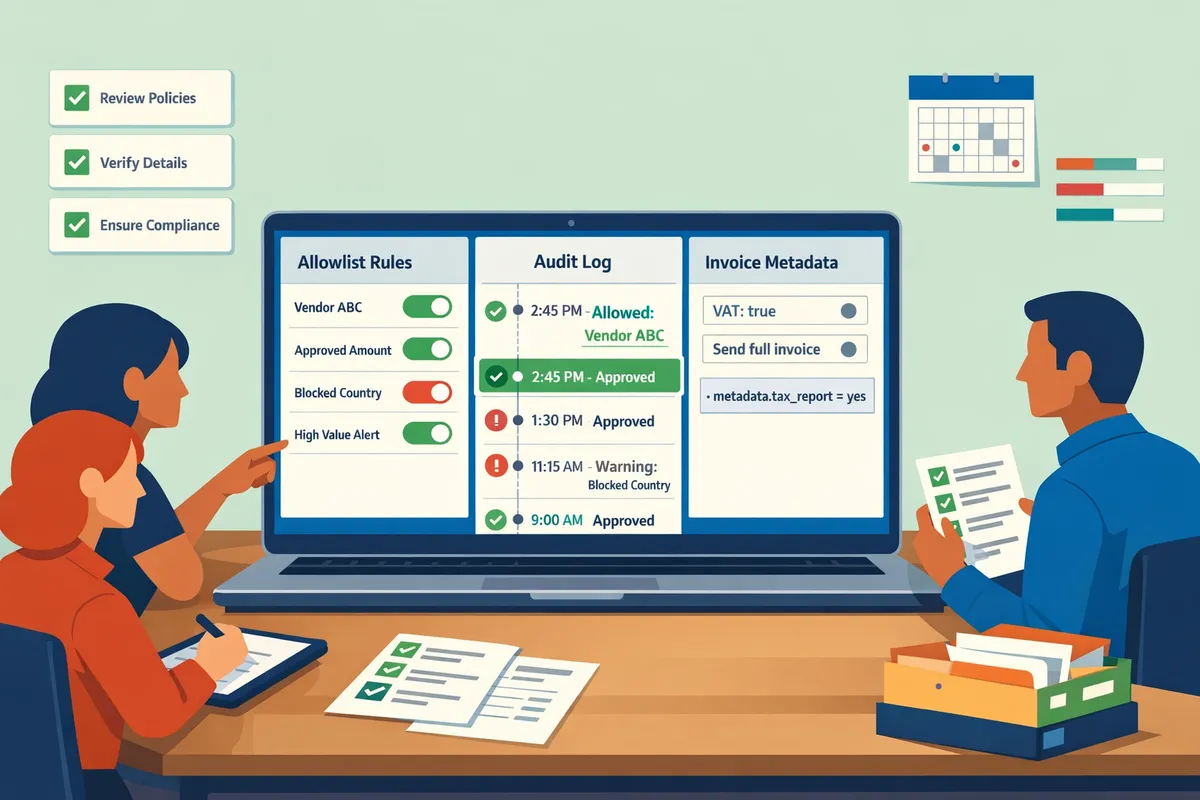
Use RouteReceipts to ensure the correct document type reaches the right recipient. For cross-border cases, configure allowlist rules and metadata checks so finance only sends full invoices to customers flagged for tax reporting. The RouteReceipts documentation shows how to use metadata-driven allowlist entries and avoid manual tagging errors.
Related resources: read the RouteReceipts documentation for setup steps and the post Why Did We Build Route Receipts? for the product rationale and implementation templates.
How do you configure Stripe and RouteReceipts to meet EU/UK billing rules and measure success?
Configure Stripe to stop universal receipt delivery, add legally required invoice fields to your templates, and use Route Receipts to route receipts only to customers who need them while you track delivery and reconciliation KPIs. This reduces unnecessary emails, lowers manual bookkeeping time, and keeps audit trails for tax inspectors. Follow the playbook below: non-technical setup, a phased SMB migration, KPI targets, and privacy controls.
Non-technical Stripe setup steps for compliance
Disable Stripe's automatic receipt emails where law or your accounting rules require formal e-invoices, then publish invoice templates that include the mandatory invoice fields tax authorities expect. Start by turning off automatic receipts in the Stripe Dashboard for invoices and charges, then edit your invoice template to include supplier name, supplier VAT/Tax ID, invoice number, invoice date, clear tax line items, VAT rate per line, and the total gross amount.
If you are asking whether Stripe receipts are valid tax invoices in the EU, the answer is that they can be valid only when the receipt contains the invoice fields required by the local VAT rules; otherwise treat them as simplified proof of sale. Add Stripe invoice metadata fields (for example: receipt_route, customer_type, tax_profile) that Route Receipts reads to decide delivery. Use our step-by-step instructions in the Route Receipts documentation to complete each toggle and metadata convention and to troubleshoot duplicate emails.
⚠️ Warning: Do not leave Stripe's automatic receipts enabled while using Route Receipts. Leaving both active creates duplicate emails and breaks auditability. See our FAQ for common setup mistakes.
Link resources: consult our Route Receipts documentation for the exact Dashboard steps and the FAQ for common issues.
Practical migration playbook for SMBs
Start with a small, controlled pilot, measure the impact against your existing accounting flow, and widen the rollout in phases with rollback checkpoints. Pick a pilot cohort such as one product line, a single country, or 5% of customers (for example, enterprise clients who always need receipts). Run the pilot for a measurable window (two to four billing cycles), track reconciliation time and delivery failures, and compare against the baseline.
Phase the rollout by customer type: enterprise allowlist first, then B2B regulars, then consumers. Keep rollback steps ready: re-enable Stripe receipts and pause the Route Receipts allowlist or reapply universal receipts if errors appear. DIY implementations often impose hidden costs: repeated invoice corrections, time spent resolving duplicate or missing receipts, and increased audit exposure. Our article on Why Did We Build Route Receipts explains the operational trade-offs and the no-code implementation patterns used by finance teams.
Link resources: read Why Did We Build Route Receipts and the No‑Code Way to Route Customer Receipts for templates and common pilot configurations.
Which KPIs show ROI and compliance performance? 📈
Track delivery rate, manual reconciliation hours per month, invoice corrections/credit-note frequency, and audit exception counts to quantify ROI and compliance. Delivery rate (successful receipt emails divided by attempted sends) shows whether your routing rules or templates block required documents. Manual reconciliation hours directly convert to labor cost; for example, reducing 10 hours a month at €30/hour equals €300 saved monthly. Invoice corrections and credit notes indicate template or tax-profile mismatches that cause downstream accounting work. Audit exceptions are the highest-risk metric: each exception creates more work and potential penalties.
Measure these KPIs weekly during rollout, then monthly in steady state. Use Route Receipts' decision audit log to tie routing events to reconciliation outcomes and to prove delivery behavior during audits. Our documentation shows how to export audit entries and map them to accounting tickets.
How to set data governance and privacy rules for receipts
Define retention, access, and redaction rules so receipts meet GDPR and local tax-retention requirements and avoid leaking sensitive customer data. Create a retention schedule aligned with each jurisdiction (check local tax guidance; many EU regimes require multi-year retention), restrict who can view the allowlist and decision audit log, and redact or omit unnecessary personal data from receipt bodies.
Operational steps: inventory which receipt fields you include, map those fields to legal retention windows, set role-based access in Stripe and Route Receipts, and configure metadata to avoid embedding raw payment credentials in receipts. Route Receipts processes only the Stripe account and customer metadata needed for routing; see our privacy policy for data handling, retention, and third-party processing details. Also document how receipts feed into your ERP or expense tools (for example, QuickBooks, Xero, or Sage) and ensure exported receipts respect your retention and redaction policies.
Link resources: review Route Receipts' privacy policy and our documentation for details on what account data we read and how to configure access.
Frequently Asked Questions
These FAQs clarify legal validity and operational steps for issuing e-invoices, sending e-receipts from Stripe, and using RouteReceipts for selective routing. Each answer focuses on the specific rule or workflow you need to apply today rather than broad background.
Are Stripe receipts valid tax invoices in the EU? 🧾
A Stripe receipt is a valid tax invoice only when it contains every legally required invoice field for the buyer's country. Commonly missing fields that make receipts insufficient include a unique invoice number, a VAT breakdown by rate, the supplier VAT ID, the buyer VAT ID (where required), and an explicit invoice date or tax point. For cross-border B2B supplies where reverse charge applies or for jurisdictions that mandate structured e-invoicing, you must issue a structured e-invoice rather than a simple receipt. RouteReceipts controls who receives receipts but does not convert a receipt into a legally structured e-invoice; ensure you generate the compliant invoice within Stripe invoicing or your e-invoicing provider before distributing.
What is the main difference between receipts and invoices in UK compliance? 🇬🇧
Under UK VAT rules, invoices must include unique numbering, VAT breakdowns, and supplier and customer tax identifiers, while receipts typically omit full VAT detail unless issued as invoices. You must issue an invoice rather than a receipt when supplying goods or services to another VAT-registered business, when the customer requests an invoice within one month, or where HMRC rules expressly require a full VAT invoice for reclaiming input tax. If you rely on Stripe receipts for customer communication, configure Stripe Invoicing to embed the required fields and use RouteReceipts to ensure only the correct documents reach VAT claimants.
Can RouteReceipts prevent sending receipts to customers who prefer none? ✅
Yes. RouteReceipts prevents unwanted receipt delivery by enforcing an allowlist that determines which customer IDs or emails receive Stripe receipt emails. Finance teams add entries through the RouteReceipts dashboard; each routing decision writes to the app's audit log for traceability. Installation from the Stripe Marketplace and the dashboard UI mean teams can operate the allowlist without building custom webhooks or writing code. For step-by-step setup and the allowlist workflow, see our RouteReceipts documentation.
How do I handle credit notes in Stripe to remain audit-ready? 🔁
Issue credit notes that reference the original invoice number, show the corrected VAT amounts, and record the reason and supporting evidence to remain audit-ready. Always attach or link supporting documents (credit reason, returned goods receipt, customer agreement) and keep a permanent copy in your accounting system or document store. Use Stripe's native reference fields and record the credit note in your ledger with the same invoice identifier so VAT reclaiming and audit trails match. RouteReceipts' decision log can surface who requested the credit-note email or withheld it, which helps auditors trace communication around the adjustment.
⚠️ Warning: Do not delete original invoices after issuing a credit note; regulators expect a full, unbroken audit trail.
What minimal metadata should I add to Stripe invoices to support routing? 🏷️
At minimum add customer_type (B2B or B2C), vat_id, po_number, and receipt_preference as invoice metadata so routing decisions are deterministic. Those fields let RouteReceipts apply allowlist rules and default behaviors without custom integrations: for example, customer_type=B2B and a valid vat_id can be routed to receive an invoice PDF, whereas B2C entries without vat_id can be excluded. Record the metadata naming convention before rollout so finance and sales populate identical keys. For a walkthrough of metadata use and examples, consult our installation guide in the RouteReceipts documentation.
How quickly can a small finance team implement selective receipt routing? ⏱️
A small finance team can implement selective routing in a two- to six-week phased plan using RouteReceipts' dashboard-native setup. Phase 1 (week 0–1): install RouteReceipts from the Stripe Marketplace, disable Stripe's automatic receipt emails to avoid duplicates, and create an initial allowlist of high-value or enterprise customers. Phase 2 (week 1–3): validate routing with 10–30 live transactions, add required invoice metadata in Stripe, and confirm accounting entries match. Phase 3 (week 3–6): expand the allowlist, train billing staff on metadata and the dashboard, and document the audit process. This approach requires minimal developer time; follow our no-code implementation notes in the beginner's guide to selective delivery for practical templates and checklists.
💡 Tip: Start the pilot with enterprise clients who request formal invoices; they provide quick feedback on required invoice fields and reduce rollout risk.
Ensure legal billing with the correct document for each transaction.
Matching document type to local VAT rules reduces audit risk and keeps bookkeeping clean. Issue structured e-invoices for tax reporting, use e-receipts for customer confirmations, and send credit notes to correct recorded sales. For small accounting teams, getting these rules wrong costs time and creates reconciliation headaches.
RouteReceipts is a specialized application designed to enhance the way businesses manage their Stripe receipt distribution. It addresses Stripe's limitation of sending receipts to everyone or no one by letting teams maintain an allowlist in the Stripe dashboard so receipts go only to customers who need them. The app includes a dashboard-native UI, a decision audit log for transparency, and a simple setup via the Stripe Marketplace, which avoids custom webhook work.
Install RouteReceipts from the Marketplace and follow the getting-started steps in the Documentation to create an allowlist and disable automatic Stripe receipts for clean, compliant routing. For implementation context and rationale, see Why Did We Build Route Receipts? and check the Frequently Asked Questions for setup and troubleshooting details.
Subscribe to our newsletter for implementation tips and regulatory updates.
When choosing a first cosplay outfit, it is worth considering how details related to cosplay shoes will affect the complete look. When comparing costume options, it helps to assess details related to beginner costume choices together with fit and fabric. To organise preparations involving details related to women's cosplay costumes, affordable cosplay props offers a useful starting point for practical preparation. For an outfit that feels convincing, it is useful to check details related to game cosplay costumes against the wearer's own needs.