
Custom Receipt Distribution in Stripe PDF: Policy Template
Custom receipt distribution in Stripe means deciding, in writing, which customers get an emailed receipt and who is allowed to change that. Stripe's own setting is all or nothing, so a policy is what turns "some customers get receipts" into something finance, legal and IT can approve and audit. This guide gives you a policy you can copy, an approval flow, and the evidence a reviewer can pull from Route Receipts.
One note on the "PDF" part of the search: there is no downloadable PDF here, and Route Receipts does not ship policy files. Paste the policy below into your own document, edit it, and save or print it as a PDF from your editor.
What does a receipt distribution policy need to decide?
A receipt distribution policy needs to settle four things: who gets receipts, who can change that list, how a change is approved, and where the evidence lives.
Stripe creates receipts for all successful payments, but it does not email every one. You turn emailing on under Settings, Business, Customer emails, with the "Successful payments" switch, and Stripe also sends a receipt whenever a payment has a receipt email set, even with that switch off (Stripe receipts docs). That second behavior is the one a policy can build on: a receipt is sent to the address attached to the charge.
Route Receipts uses it. It is a Stripe App that runs in the Dashboard sidebar. For a customer on your allowlist it sets the charge's receipt email and Stripe sends its standard receipt. A customer who is not on the list gets none. You turn off Stripe's "Successful payments" emails so allowlisted customers do not get two. Stripe's invoice emails are a separate setting and stay on (how to disable the setting).
What goes in the policy template?
The template below has six clauses, and each one maps to something you can check in Stripe or in Route Receipts.
Copy it, replace the bracketed parts, and keep the clause numbers so reviewers can cite them.
Receipt Distribution Policy, [Company], version [1.0], effective [date]
1. Scope. This policy covers emailed receipts for successful Stripe payments: paid invoices, one-off charges, Checkout, Payment Links and Terminal payments. Refund receipts and credit notes are outside it and follow [Finance's refund procedure].
2. Default. Customers do not receive an emailed Stripe receipt unless they are on the receipt allowlist.
3. Who is listed. A customer is added only when [a written request from the customer's account owner, or a contract term] requires receipts, for example for their expense reporting. Each entry carries a note naming the requester and the reason.
4. Roles. [Finance Operations] requests and approves additions and removals. [A Stripe Admin] makes the change in the Dashboard. The requester and the person making the change are different people.
5. Review. [Finance] reviews the full allowlist every [quarter], removes entries that no longer have a reason, and records the review date and reviewer in [the policy log].
6. Evidence. Receipt decisions are reviewed from the Route Receipts decision log. Allowlist changes are recorded in [the change ticket], because the log does not record them.
Clause 6 matters. The decision log records every send or suppress decision with the Stripe event ID, the customer and the reason, and it is tamper-evident. It does not record who added or removed an allowlist entry, and it cannot be exported. So the "who changed the list and why" half of your audit trail has to live in your own ticketing or change system. Route Receipts has no roles or approvals of its own, so the approval step in clause 4 is a process you run, not a setting.
How do approvals work in practice?
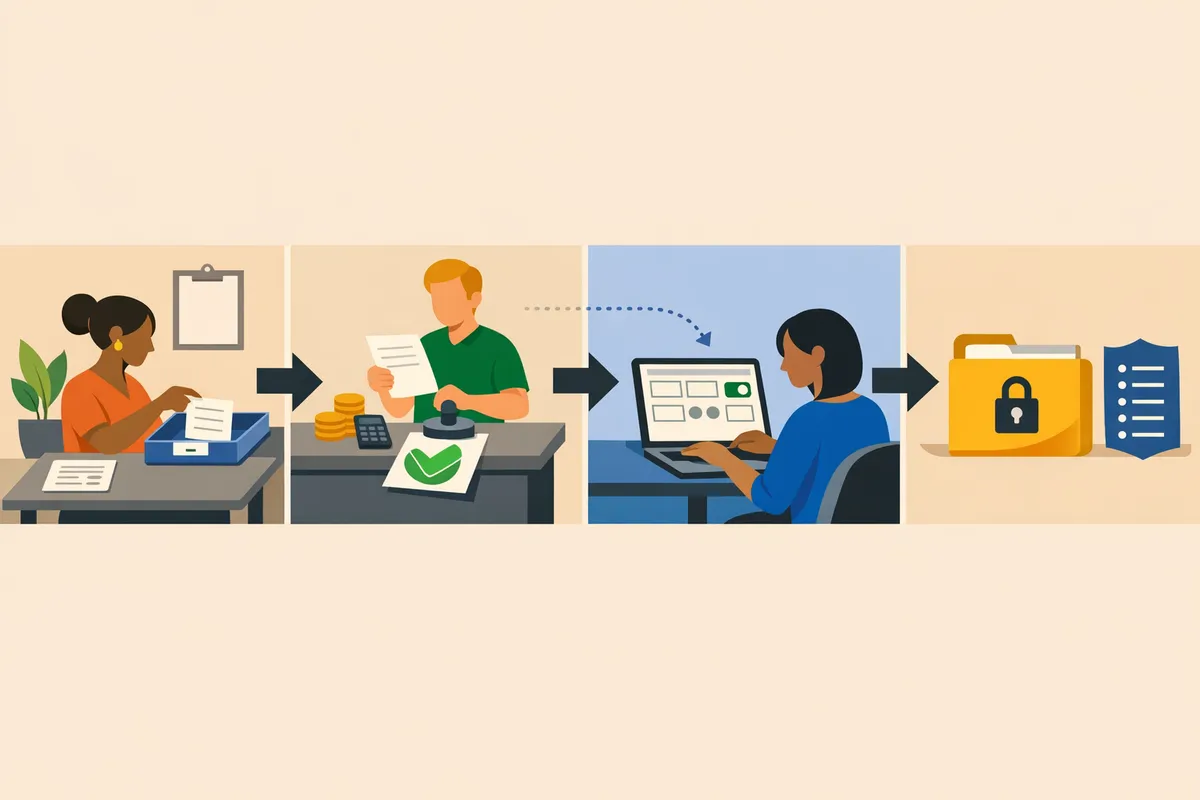
Approvals work as a short request, check and change sequence run outside Route Receipts, with the Dashboard change as the last step.
- The requester files a ticket with the customer's name, the Stripe customer ID or email, and the reason.
- Finance approves or rejects it and notes the decision on the ticket.
- A Stripe Admin or Owner adds the entry in the Route Receipts sidebar, with the ticket number in the note field. Installing the app needs the Stripe Owner or Admin role.
- The admin closes the ticket. The change takes effect right away for new payments.
Two limits shape the policy. A customer added after a payment was processed gets no receipt for that payment, and receipts cannot be resent or forced from Route Receipts, so say in your policy that late additions are handled outside the tool (Stripe lets you send a receipt manually from a payment's page). Entries are added and deleted one at a time, with no CSV import, so a large first load is a one-time task to schedule, not a bulk upload. For help choosing who belongs on the list, see which customers should receive Stripe receipts.
What audit evidence can you produce for receipt decisions?
You can show a reviewer each send or suppress decision, with its Stripe event ID, customer and reason, and search the log by customer, email, event ID or date.
The reasons the log gives include the monthly limit, no matching ID or email, and a payment processed before the customer was added. That is enough to answer the usual audit questions:
| Auditor asks | Where the answer comes from |
|---|---|
| Did customer X get a receipt for payment Y? | Decision log, searched by customer or event ID |
| Why did customer Z not get one? | The reason on that log entry |
| Who is on the allowlist today? | The allowlist in the app, searchable by ID, email or note |
| Who approved adding them, and when? | Your ticket, referenced in the entry's note |
| Was the list reviewed this quarter? | Your policy log |
The log is kept while the account is active and cannot be exported, so a reviewer looks at it in the app with you. If your auditors need a file, record what you showed them in your own review notes. Route Receipts makes no SOC 2, PCI or similar compliance claims, so do not cite it as a certified control. Treat it as the system that makes and records the send decision. The wider list of permissions is in the permissions and scopes FAQ.
Worked example: a finance team with 12 enterprise customers
A subscription business with thousands of customers and 12 enterprise accounts that need receipts for expense reports can run this policy with a short allowlist.
Stripe's "Successful payments" emails are off. The allowlist holds 12 entries, each a customer ID with a note such as "Acme AP team, contract 2026-14, ticket FIN-212". Every month those customers' payments produce a receipt and everyone else's produce none. In a quarterly review, Finance opens the decision log, filters by one customer, confirms each recent payment shows a send decision, and walks the list to remove any account that has churned.
Volume sets the plan. If those 12 customers pay monthly, that is about 12 receipts a month, which fits the Free plan (20 receipts a month). Add a few invoices and one-off charges and you may cross 20, so Pro ($9 a month, 300 receipts) gives headroom. Business ($29 a month) is unlimited. All plans include the full allowlist and decision log, and they differ only in volume. When you reach the limit a banner appears and receipts stop until the next period or an upgrade, with no fallback to Stripe's settings, so put a usage check in the quarterly review. The app shows receipts used and left this period.
Frequently asked questions
Can Route Receipts apply rules by plan, amount or email domain?
No. An entry is a Stripe customer ID, an email address, or both, with an optional note. There is one allowlist per account and no rules engine, so write your policy around named customers.
Does this change how the receipt looks?
No. The customer gets Stripe's standard receipt. Branding is set in Stripe, and Route Receipts has no templates, PDFs or extra recipients. Customers can still view and download Stripe receipts from the receipt page, as Stripe's docs describe.
Does it cover refunds and credit notes?
No. It handles receipts for successful payments only, so your refund and credit note practice stays in Stripe. See the receipt allowlist guide for what is in scope, and the full no-code guide for the surrounding setup.
Can I test the policy before going live?
Yes. Route Receipts works in Stripe test mode, and setup takes about 5 minutes with no code or webhook setup.