
Stripe Selective Receipt Routing PDF Download Hub: 2020-2026 Editions, Executive Brief, and SOC 2/ISO Mapping
A single misrouted Stripe receipt can trigger a compliance review and cost finance teams hours to reconcile who received an invoice. Stripe Selective Receipt Routing governance playbook PDF download is a resource that provides versioned playbooks, the executive governance brief for Stripe receipts, and compliance mapping artifacts. Our RouteReceipts app controls Stripe receipt distribution with an allowlist, a dashboard-native UI, and a decision audit log to prevent unnecessary emails. This hub gathers 2020–2026 playbook editions, the executive brief, and SOC 2/ISO mapping, with links to the RouteReceipts setup guide and FAQ (RouteReceipts setup guide, FAQ). Which edition holds the SOC 2 mapping your auditors will ask to see?
What does the Stripe selective receipt routing governance playbook PDF package include?
The playbook package includes versioned governance PDFs, routing-rule templates, data flow diagrams, approval matrices, testing checklists, and SOC 2/ISO mapping artifacts. This bundle helps payment operations and compliance teams pick an edition that matches their audit timeline and operational complexity. Each edition shows how RouteReceipts integrates with Stripe, supplies audit artifacts you can hand to auditors, and gives practical templates to reduce implementation time.
What is included in each PDF edition (2020–2026)?
Each edition contains governance policy language, routing-rule templates, sample data flow diagrams, an approval matrix, and an audit checklist; later editions add compliance mapping and a one-page executive brief for auditors. The 2020 and 2021 PDFs focus on policy language and simple routing-rule templates with sample allowlist CSV formats. The 2022 and 2023 editions add detailed data flow diagrams that show where RouteReceipts intercepts Stripe events and where audit evidence lives. The 2024 edition includes ISO mapping artifacts and example control statements tied to routing rules. The 2025 and 2026 editions include a one-page executive governance brief, SOC 2 mapping worksheets, and pre-filled evidence examples (audit log snapshots, routing-rule change history) to speed auditor review.
💡 Tip: Disable Stripe's automatic receipt emails while testing to avoid duplicate messages; the playbook includes a checklist for this step.
Refer to Why Did We Build Route Receipts? for product rationale and operating trade-offs, and use the Documentation for step-by-step installation guidance.
Who should use each template? 🧭
Templates target payment operations teams, finance leaders, and compliance managers at small accounting firms up to enterprise merchants. Small teams that need documented policy and simple allowlist rules should start with 2020–2021 to create basic audit trails quickly. Mid-market teams with periodic audits should use 2022–2024 to get ISO mapping and fuller approval matrices that assign owner, approver, and evidence location. Enterprise payment operations and security teams should adopt 2025–2026 for SOC 2-ready artifacts, an executive brief for auditor sessions, and integration playbooks showing how RouteReceipts captures decision logs and allowlist changes.
Example: a regional accounting firm that files expense reports for clients might pick 2023 to show expense-vs-nonexpense routing rules and an approval matrix tied to billing leads. For hands-on setup, consult the No‑Code Way to Route Customer Receipts in Stripe and our FAQ on installation and plan limits.
Comparison table: playbook editions and target use cases
The table below contrasts each edition by included documents, ideal audience, audit readiness, and RouteReceipts integration notes.
| Edition (year) | Included documents | Ideal audience | Audit readiness | Notes on RouteReceipts integration |
|---|---|---|---|---|
| 2020 | Governance policy, basic routing-rule template, sample CSV | Small firms, early-stage merchants | Basic | Shows allowlist format and sample decision log export |
| 2021 | Policy + approval matrix, testing checklist | Small to mid-market teams | Basic | Adds guidance for disabling Stripe receipts during testing |
| 2022 | Data flow diagrams, expanded routing templates | Mid-market finance teams | Enhanced | Diagrams map where RouteReceipts receives Stripe events and stores audit entries |
| 2023 | ISO-friendly controls, approval workflows, audit checklist | Mid-market, regulated SMBs | Enhanced | Includes example audit evidence: routing-rule snapshots and change history |
| 2024 | ISO mapping artifacts, control statements | Compliance teams preparing for ISO audits | Audit-ready | Shows how RouteReceipts maps to ISO controls and where to pull logs |
| 2025 | SOC 2 mapping, executive one-page brief, rollout plan | Enterprise merchants, SOC 2 auditors | Audit-ready | Includes pre-filled SOC 2 worksheets and RouteReceipts decision-audit examples |
| 2026 | Executive brief, combined SOC 2/ISO mapping, full test scripts | Large enterprises, multi-standard audits | Audit-ready | End-to-end playbook with RouteReceipts screenshots, test scripts, and auditor-facing brief |
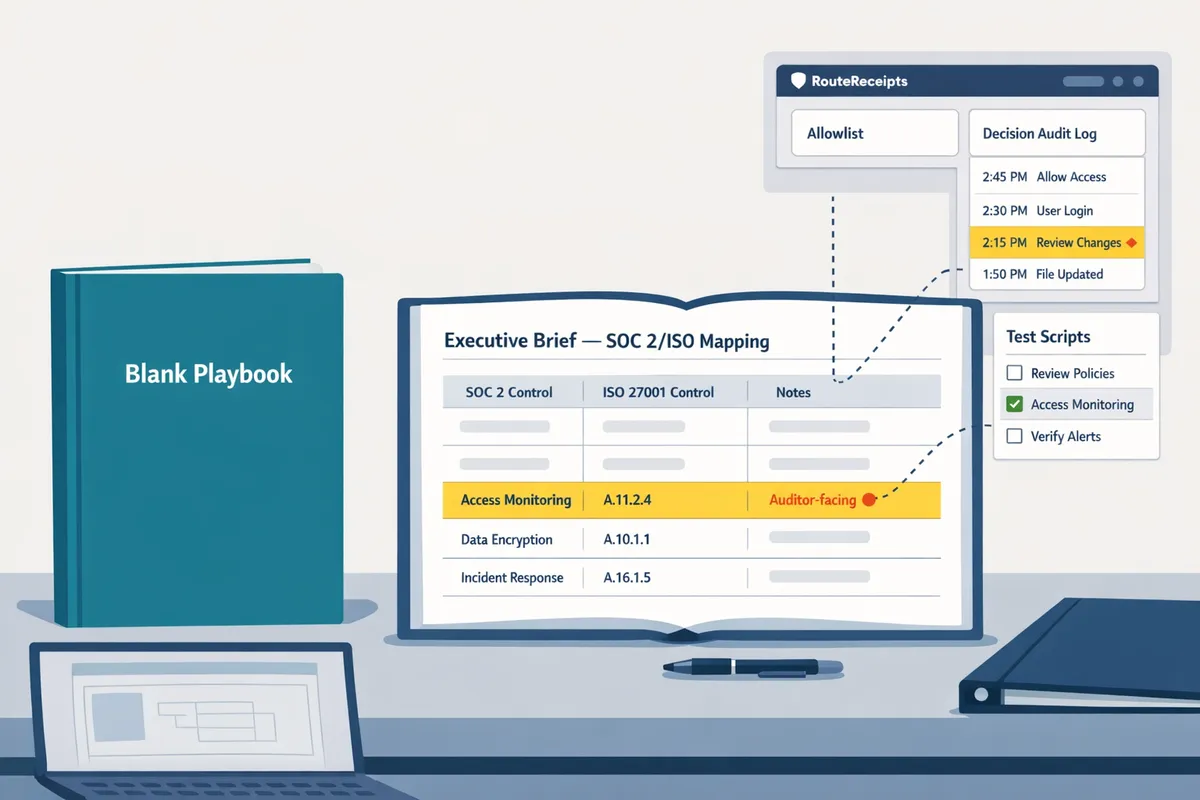
How do I use the selective receipt routing playbook PDF with RouteReceipts?
Map each playbook section to exact RouteReceipts actions inside your Stripe account so policy becomes an auditable configuration instead of a checklist. RouteReceipts is a Stripe app that controls which customers receive invoice receipts by maintaining an allowlist and a decision audit log. Use the playbook PDFs to define scope, rules, approvals, tests, and evidence, then follow the steps below to implement those items in the RouteReceipts dashboard.
Step-by-step implementation checklist ✅
Complete these numbered steps to install RouteReceipts, configure allowlists, disable Stripe automatic receipts, run staged tests, and capture audit-ready logs.
- Download the versioned playbook PDF that matches your release year and open the Routing rule templates and Approval matrix sections.
- Install RouteReceipts from the Stripe Marketplace and grant the app the requested permissions. See the setup flow in our Documentation.
- From the playbook's Scope field, list customer groups that must always receive receipts (example: enterprise clients with expense policies).
- Create an allowlist in RouteReceipts by adding customer IDs or verified email domains; use the dashboard-native UI to paste or upload the list.
- Disable Stripe automatic receipts to avoid duplicates (turn off Billing > Emails).
- Configure routing rules in RouteReceipts to match the playbook templates and attach the approval owner from the matrix.
- Run staged tests with test customers and validate suppression and delivery.
- Export the decision audit log and attach it to the playbook's audit evidence folder.
💡 Tip: Disable Stripe automatic receipts before running staged tests to prevent duplicate emails and confusing audit trails.
For UI details and exact clicks, follow the step-by-step instructions in our Documentation and the No‑Code implementation guide.
Testing, staged rollout, and audit evidence 🔍
Run a controlled pilot, validate suppression and delivery, and export timestamped decision logs for auditors. Start by creating test customers in Stripe and tagging them as pilot so you can simulate invoices without affecting live billing. For example, run a 50-customer pilot that mixes enterprise, SMB, and churn-risk accounts to validate both allowlist delivery and suppression for non-allowlist customers. During the pilot, send invoices and confirm two things: the allowlist entries triggered receipt delivery, and suppressed customers did not receive emails. Capture screenshots of allowlist entries, record timestamps from the RouteReceipts decision audit log, and export CSV or JSON event exports as the playbook's "Audit evidence" artifacts. Map exported logs to the playbook's audit checklist and include the approval matrix and routing-rule snapshot in the same folder.
For the exact export steps and troubleshooting for missing or duplicate receipts, see our Documentation and Frequently Asked Questions.
Risk and business consequences of DIY routing ⚠️
Custom webhook solutions or manual routing raise operational costs, create compliance gaps, and increase the chance of missed receipts for high-value customers. For example, a finance team maintaining a custom webhook often spends dozens of hours monthly updating rules, fixing duplicates, and troubleshooting delivery failures. Those hours translate to slower invoice reconciliation and a higher likelihood of audit findings when routing decisions are undocumented. RouteReceipts reduces these risks by providing an allowlist UI, built-in rule enforcement, and an exportable decision audit log that aligns directly with the playbook's approval matrix and SOC 2/ISO mapping sections.
⚠️ Warning: Running ad hoc scripts or spreadsheets for routing makes it difficult to prove policy enforcement during an audit. Use RouteReceipts' audit exports to create an auditable trail.
If you want the rationale behind the product and operational trade-offs, read Why Did We Build Route Receipts? and the No‑Code beginner's guide for additional implementation patterns.
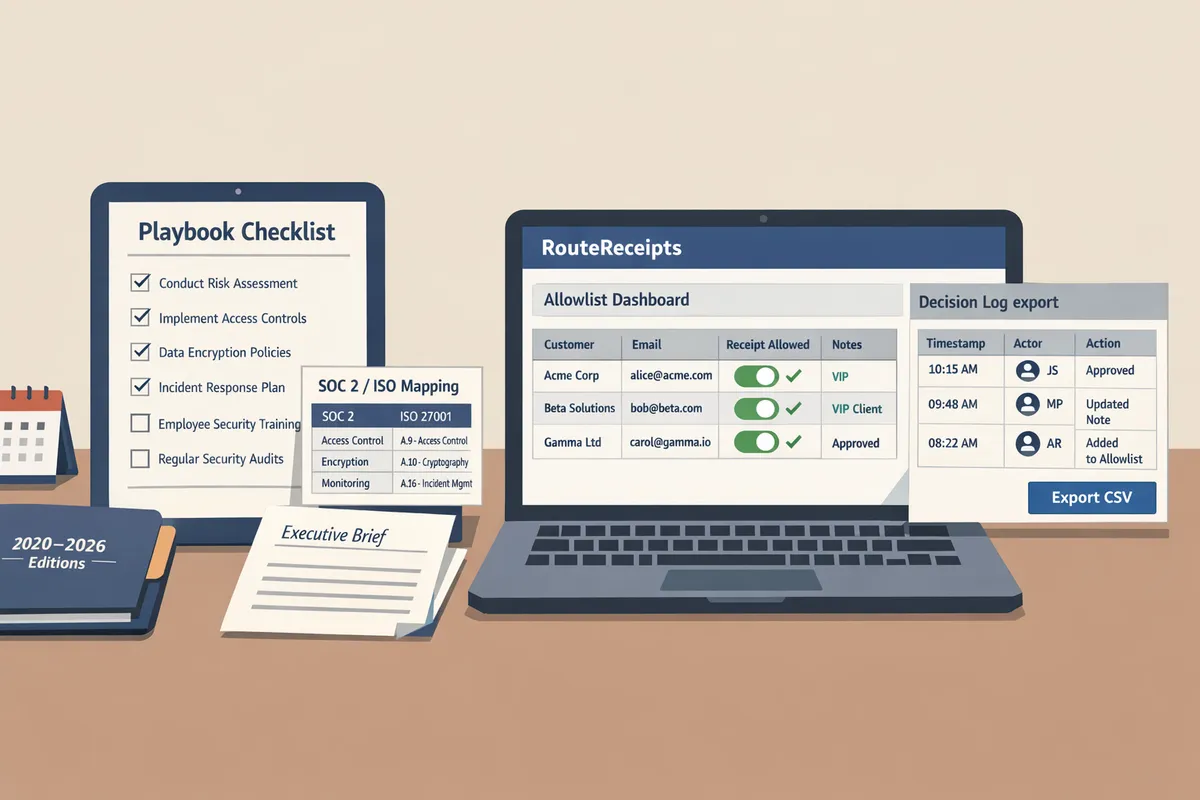
How can teams customize the playbook and routing rules for specific compliance and reporting needs?
Teams customize the playbook by applying our routing templates, SOC 2/ISO mapping artifacts, and the one-page executive brief to create audit-ready PDFs. These assets include copy-ready text, fillable fields, and step-by-step instructions for mapping each policy item back to RouteReceipts artifacts. Follow the templates below to reduce manual work and produce evidence exporters for auditors.
Routing rule templates and business examples 🧩
The playbook includes three ready-to-use routing rule templates (allowlist, suppression, cadence-based) that teams copy and customize inside RouteReceipts. These templates describe the decision condition, the exact action, and where to record the decision in the RouteReceipts decision audit log. Use the table below to pick the template that fits your workflow.
| Template name | Trigger condition | Action | Business example |
|---|---|---|---|
| Enterprise allowlist | Customer.segment is Enterprise OR customer.tags contains billing | Send receipt to billing_contact and billing_cc | Send invoices to procurement@client.com for all enterprise customers |
| Promotion suppression | Payment.metadata.promo_code exists OR product.category is billing | Suppress receipt; log reason in audit entry | One-off promotional purchases do not generate receipts to reduce inbox noise |
| Cadence-based routing | Subscription.interval equals monthly/annual | Route receipts to finance for annual plans; to customer for monthly | Annual customers require accounting receipts; monthly customers do not |
Copy-ready rule examples:
- Allowlist rule (example): If customer.type = enterprise AND invoice.amount >= [MIN_AMOUNT], then send receipt to [BILLING_EMAIL]. Record decision as 'allowlist' in RouteReceipts audit log.
- Suppression rule (example): If product.tag = promo OR invoice.metadata.promo = true, then suppress receipt and add audit note [TEAM] suppressed - promo.
- Cadence mapping (example): If subscription.interval = annual, set routing target = [FINANCE_EMAILS]; else routing target = customer.email. Include subscription.id in audit entry.
After you populate the placeholders, test each rule in a staging Stripe account and confirm the decision entries appear in the RouteReceipts decision audit log. For implementation steps and UI screenshots, consult our no-code setup guide in the Documentation and the beginner's walkthrough in the No‑Code guide.
Compliance mapping: SOC 2 and ISO artifacts 📋
The playbook maps each RouteReceipts artifact to SOC 2 and ISO control objectives and supplies a checklist of the evidence auditors expect. The mapping lists the artifact, the relevant control objective, the type of evidence, and where to find or export that evidence from RouteReceipts or your internal systems.
| Artifact | Control objective | Evidence type | Where to export/find it |
|---|---|---|---|
| Decision audit log | Audit logging and traceability | Exportable log (CSV/PDF) with timestamps and user IDs | RouteReceipts dashboard > Decision log export |
| Role-based access list | Access control | Access matrix, recent access change record | IAM console + RouteReceipts admin settings |
| Data retention policy and deletion logs | Data retention and disposal | Retention policy doc; deletion audit entries | Internal policy repo + RouteReceipts data exports |
| Privacy policy mapping | Privacy and data processing | Published privacy statement; data processing addendum | Company privacy page + RouteReceipts privacy policy |
Use the checklist below to prepare an auditor packet:
- Export the decision audit log covering the audit period.
- Attach access control exports showing who has admin rights in RouteReceipts.
- Provide retention policy text and a sample deletion event exported from RouteReceipts.
⚠️ Warning: Do not include full card numbers, social security numbers, or other protected health information in exported evidence. Check the RouteReceipts privacy policy when preparing exports and redact where required.
Refer to our Documentation for exact export locations and our FAQ for clarification on what data RouteReceipts stores and why.
Customizing the executive governance brief and printable PDF layouts 📄
The executive governance brief template compresses scope, roles, high-level controls, and an auditor-friendly evidence list into a one-page PDF that leadership can sign off on. The brief uses short, copy-ready language and preformatted evidence pointers so you can produce a printable PDF in under 30 minutes.
Suggested one‑page brief fields and example text (copy and replace the bracketed values):
- Title: Selective Receipt Routing: Governance Brief — [Org Name]
- Scope: Applies to all Stripe-generated invoice receipts for customers billed via Stripe. Excludes receipts generated by one-off promotions as noted in suppression rules.
- Data flows (one sentence): RouteReceipts receives Stripe invoice events, evaluates allowlist and suppression rules, and records each routing decision in the RouteReceipts decision audit log (export path: RouteReceipts > Decision log export).
- Roles and approval authorities: Billing Owner: [Name, title]; Security Owner: [Name]; Escalation: Finance Director.
- High-level controls: Allowlist management, suppression exceptions, quarterly access reviews, retention and deletion policy.
- Key metrics (one line): Monthly routed receipts, suppressed receipts, audit log entries for policy changes.
- Auditor evidence list (bulleted): Decision audit log export, current allowlist export, access control export, signed policy page.
Step-by-step:
- Open the brief template in the playbook and replace bracketed values.
- Attach or reference the exported artifacts listed in the evidence list.
- Save as PDF from the editor, or use the RouteReceipts dashboard export function if your account includes the governance bundle.
💡 Tip: Keep the brief to one page and link to longer artifact exports. Auditors prefer a one-page scope with direct links to supporting evidence rather than multi-page narrative summaries.
For sample briefs and a downloadable PDF bundle that maps directly to the RouteReceipts dashboard exports, see the executive brief and playbook downloads. If you need implementation help, our article Why Did We Build Route Receipts? explains the product rationale, and the How to Limit Stripe Receipts guide shows step-by-step no-code configuration.
Download the governance playbook and compliance artifacts to implement selective receipt routing.
The article gives you the exact resources to find and save versioned playbooks, the executive governance brief, and SOC 2/ISO mapping so teams can apply policy-level controls without guessing. For a direct stripe selective receipt routing governance playbook PDF download, use the packaged files and the included mapping tables to match controls to your compliance needs.
RouteReceipts is a specialized application designed to enhance the way businesses manage their Stripe receipt distribution. It controls which customers receive invoice receipts through an allowlist and records routing decisions in an audit log, so teams avoid custom webhook work and maintain clear accountability.
When accuracy matters for a costume, it is worth considering how details related to fabric and comfort will affect the complete look. As fans study the source material, it is sensible to balance details related to beginner costume choices with care and storage needs. To organise preparations involving details related to beginner costume choices, affordable character costumes can help narrow the options for a specific purpose. To stay comfortable throughout the event, it is useful to check details related to cosplay costume sets against the wearer's own needs.
Download the full playbook bundle now, then follow the RouteReceipts getting-started guide in the Documentation to apply governance rules to your Stripe account. For background on product rationale and no-code setup patterns, review Why Did We Build Route Receipts? and The No‑Code Way to Route Customer Receipts in Stripe: Beginner’s Guide to Selective Delivery. See the Frequently Asked Questions if you need quick clarity on installation or allowlist behavior.
💡 Tip: Test playbook changes in a staging Stripe account and follow the Documentation for allowlist and audit-log setup before applying to production.