
Stripe Terminal Fees 2026: TCO & Regional Pricing
A single international Stripe Terminal deployment can add thousands in fees when you combine per-device charges, processing rates, and cross-border surcharges. stripe terminal fees 2026 is the set of per-transaction, per-device, connectivity, and regional charges that determine total cost of ownership for Stripe's in-person payment hardware. This article shows how to compare regional rates, upfront hardware costs, connectivity plans, and platform choices to calculate TCO. Our RouteReceipts app reduces receipt management overhead by letting businesses selectively send receipts from the Stripe dashboard, which helps align communications costs with enterprise and retail needs. See our RouteReceipts Stripe setup guide and RouteReceipts pricing page for installation and plan details. Which regions and hardware pairings give you the best long-term cost profile?
What are Stripe Terminal fees in 2026?
Stripe Terminal fees in 2026 are primarily per-transaction processing charges that vary by region, card entry method, and processing path. These base rates often sit alongside add-ons such as keyed-entry surcharges, cross-border or issuer fees, and the amortized cost of hardware and connectivity. For teams handling receipts from Terminal transactions, RouteReceipts reduces inbox clutter and finance overhead by letting you send receipts only to customers who need them, which lowers time spent reconciling receipt-related support requests. See Why Did We Build Route Receipts? for background on receipt-volume costs and compliance trade-offs.
💡 Tip: Disable Stripe's automatic receipt emails when you install RouteReceipts to avoid duplicate notifications; see the installation steps in our Documentation.
How do per-transaction rates differ for in-person versus online? 💳
In-person card-present rates are generally lower than online card-not-present rates because the fraud risk is lower for chip and contactless transactions. Public Stripe pricing and merchant reports commonly show online card-not-present pricing (for example, standard card payments) with a higher percentage and fixed cent component than in-person Terminal processing. For merchants who split volume across channels, this difference changes cash flow: a retailer that shifts more sales to in-person Terminal readers will usually reduce processing spend per transaction and lower fraud disputes. RouteReceipts helps finance teams avoid unnecessary receipt sends for high-volume in-person sales, reducing ticket volume for receipt-related support.
The No‑Code Way to Route Customer Receipts in Stripe: Beginner’s Guide to Selective Delivery shows a simple pattern for reducing receipt noise across channels.
Which regional differences change Terminal fees? 🌍
Regional differences that change Terminal fees include local VAT or sales tax treatment, card network rules per country, and issuer-based cross-border surcharges. For example, some countries apply VAT to card processing or display fees inclusive of tax, while issuer cross-border surcharges and currency conversion fees can add several tenths of a percent to the effective cost for international sales. Practical impact: a merchant accepting cards across the US, EU, and UK must model payout timing, FX spreads, and any regional surcharge to compute true TCO per region. RouteReceipts can help with region-specific compliance and customer communication by allowing you to control which customers receive receipt emails in each market; see our Documentation for details on region-aware setup.
What is the stripe terminal keyed entry surcharge? ⌨️
The stripe terminal keyed entry surcharge is an extra fee applied when a merchant types card details into an in-person reader or POS instead of using chip, tap, or swipe. Processors charge this because keyed entry carries higher fraud and dispute rates, so the surcharge compensates for that elevated risk; it typically appears as a higher percentage or an additional per-transaction fee on top of the base Terminal rate. Merchants with frequent keyed transactions (for example, phone orders or fallback manual entry) should track how often keyed entry occurs and include the surcharge in their blended-cost models. RouteReceipts does not change the surcharge but reduces the downstream admin burden by limiting receipts to the customers who require them, easing reconciliation when keyed transactions generate more disputes.
How do hardware and connectivity add to fees? 🔌
Hardware and connectivity add recurring or amortized costs that raise the effective per-transaction price when you spread them over monthly volume. Line items include reader purchase or lease, accessories, replacement units, and cellular or Wi-Fi data plans for connected readers. Example: a $300 reader amortized over 24 months at 5,000 transactions per month adds roughly 0.25 cents per transaction to your cost. These infrastructure costs matter most for low-volume merchants or multi-device deployments where amortization and monthly data plans materially increase TCO. RouteReceipts reduces one non-processing overhead by cutting receipt-related support and accounting work, making it easier to compare hardware and connectivity options purely on cost-per-transaction metrics.
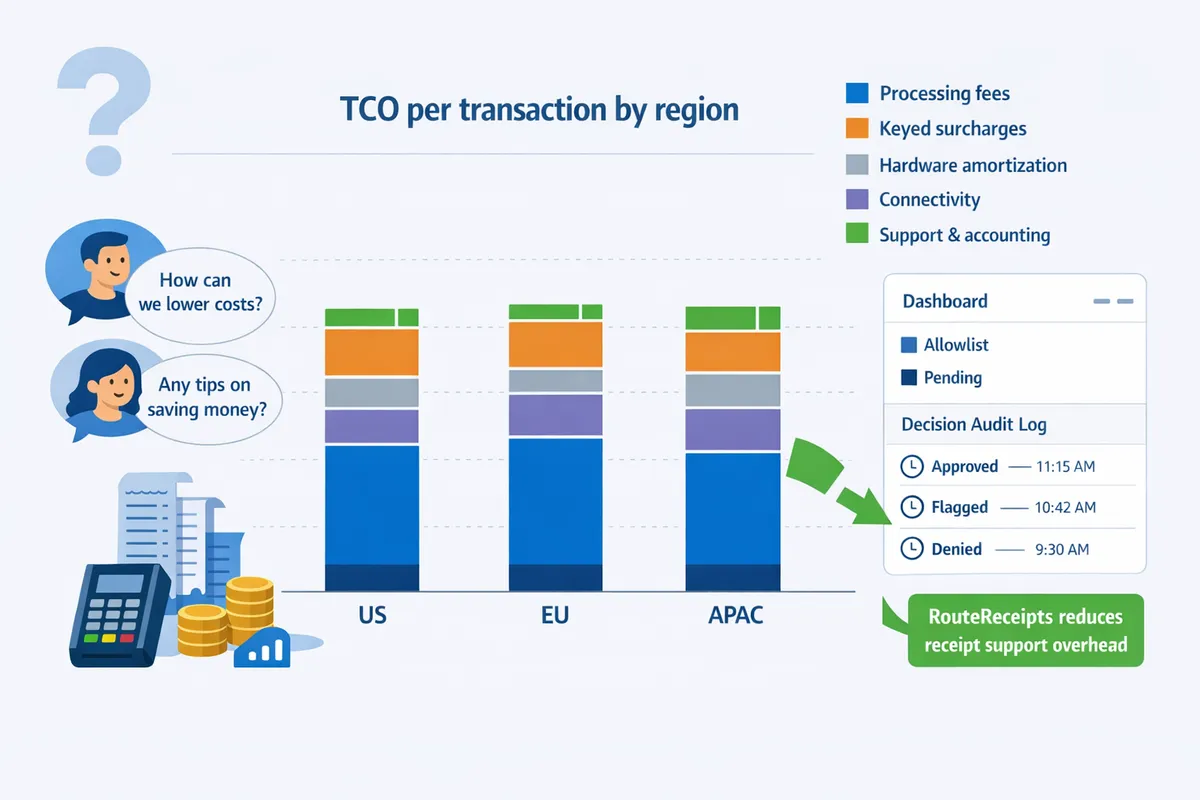
How should merchants calculate total cost of ownership (TCO) for Stripe Terminal in 2026?
Calculate TCO by summing per-transaction processing costs, hardware amortization, connectivity, Stripe platform and payout/Connect fees, cross-border and conversion charges, dispute/support reserves, and monthly operational overhead. This produces a clear monthly and annual estimate you can compare to other in-person solutions. RouteReceipts can reduce operational overhead by cutting receipt-related support time; see Why Did We Build Route Receipts? for the rationale and setup patterns.
Step-by-step TCO formula and worked example 🧾
Use a line-item formula: (per-transaction fees × monthly volume) + hardware amortization + connectivity + Stripe platform fees + dispute/support reserve + cross-border/conversion costs. Break each line into a per-month and per-year column so you can switch scenarios without reworking the math. Example (illustrative): assume 5,000 in-person transactions at 2.7% + $0.05 and 10,000 online transactions at 2.9% + $0.30, average ticket $40, hardware amortization $800 per terminal over 36 months, and a $15 monthly data plan per cellular device. Calculate processing fees separately for in-person and online, add device amortization (number of devices × monthly amortization), then add connectivity and a dispute reserve (for example, 0.2% of volume). This blended approach shows how shifting 20% of volume to in-person terminals changes your effective blended rate and total monthly cost.
How to factor in stripe s710 cellular data plan cost 📶
Include the stripe s710 cellular data plan cost per device as a monthly recurring line item and compare it with Wi‑Fi or Ethernet alternatives. Data-plan pricing varies by carrier and region; model both the base monthly fee and any activation or roaming charges. Multiply the per-device plan cost by the number of S710 readers you plan to deploy and add a small buffer for overage or replacement during peak periods. If Wi‑Fi coverage is reliable at a location, run a side-by-side comparison: the amortized savings from avoiding cellular fees may pay for a network upgrade in months. Also account for device replacement reserve (the fraction of devices you expect to replace annually) when computing amortization. RouteReceipts can lower support traffic tied to receipt confusion, which indirectly reduces the operational portion of TCO tied to cellular-enabled locations.
How cross-border and Connect fees affect TCO 🌐
Model cross-border and Connect fees per currency pair and per connected account because these charges compound and often apply on top of base processing fees. Cross-border charges typically include a percentage uplift and a currency conversion spread; Connect adds per-payout or percentage fees for marketplace flows. For accurate TCO, create rows that capture: percentage uplift for foreign-issued cards, conversion spread per currency, and the number of payouts to connected accounts per month. Example: if 10% of volume is international and the cross-border uplift is 1.5%, multiply the international volume by that uplift and add the conversion spread to estimate extra monthly cost. ⚠️ Warning: Underestimating Connect payouts (many small payouts versus fewer consolidated payouts) can double fees on marketplace models; test both payout cadence scenarios. Proper receipt routing with RouteReceipts reduces disputed payments caused by customer confusion, which lowers expected dispute reserves in the TCO model.
Tools: blended-cost calculator and spreadsheet templates 📊
Use a blended-cost calculator or a parametrized spreadsheet that accepts online vs in-person volumes, average ticket sizes, device counts, connectivity options, cross-border shares, and Connect payout profiles to output monthly and annual TCO. Our spreadsheet template models mixed-channel realities and includes toggles for cellular vs Wi‑Fi, device amortization periods, dispute rate assumptions, and per-connected-account payouts. Download the template and follow the setup steps in Documentation to map your actual Stripe account volumes into the model. > 💡 Tip: Populate the spreadsheet with 3 scenarios—conservative, expected, and optimistic—to see how small changes in international volume or payout cadence affect total cost. For guidance on reducing receipt-related support overhead that feeds into your operational line items, read The No‑Code Way to Route Customer Receipts in Stripe: Beginner’s Guide to Selective Delivery.
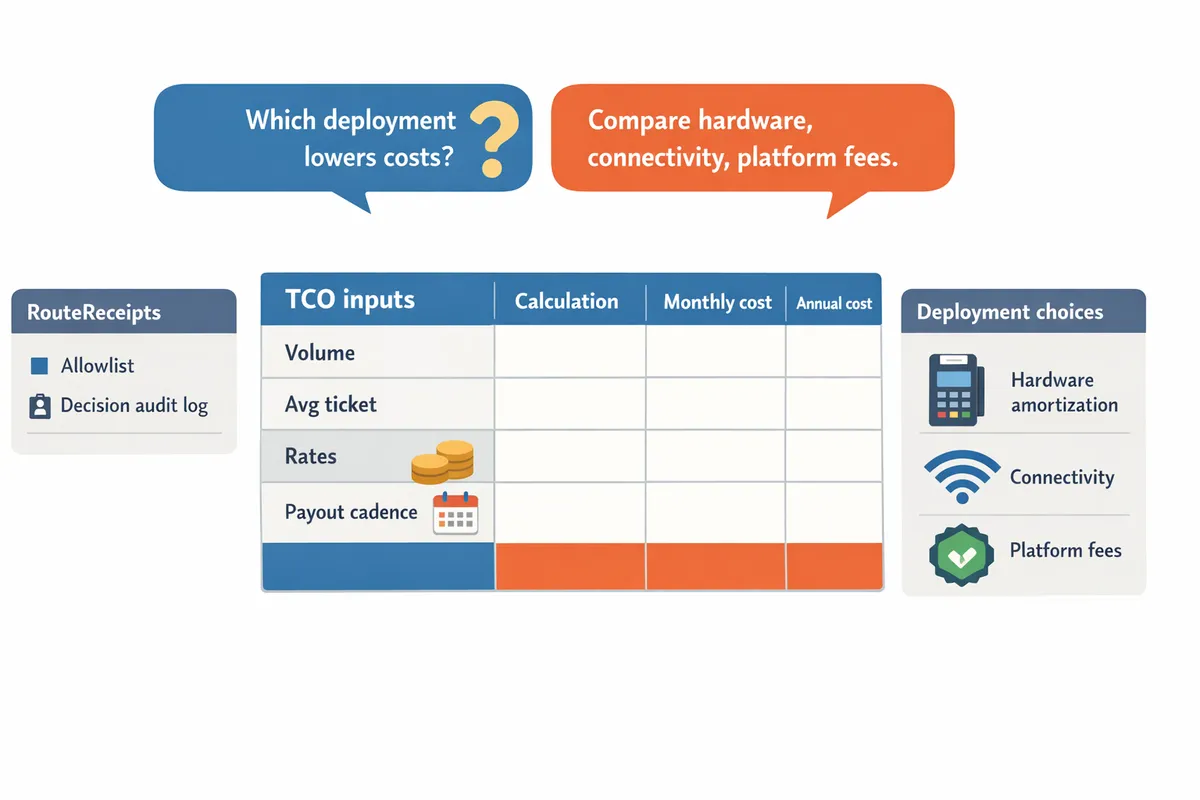
Which deployment and pricing choices lower real Stripe Terminal costs?
Choosing the right deployment and pricing path determines which line items (hardware amortization, connectivity, platform fees, or interchange) will dominate your effective per-transaction cost. Small stores, pop-ups, and multi-location enterprises face different trade-offs: a Wi‑Fi reader removes monthly data fees but shifts risk to store connectivity, while cellular readers add predictable recurring costs and faster on-site setup. Evaluate volume, international card mix, and who manages devices to see which cost levers matter most.
What deployment trade-offs should I expect for retail stores, pop-ups, and enterprise? 🏬
Retail stores usually minimize recurring connectivity by using Wi‑Fi or wired readers, while pop-ups often accept higher monthly cellular fees for mobility and instant setup. Small single-location merchants avoid the stripe s710 cellular data plan cost by choosing Wi‑Fi or Ethernet readers and scheduling hardware amortization across expected monthly sales. Pop-ups that use the Stripe S710 must budget a monthly cellular data plan and may pay more per-transaction when keyed entry is needed, because the stripe terminal keyed entry surcharge increases costs for manually entered cards. Enterprise and multi-location deployments shift costs toward centralized device management and support; investing in device provisioning and remote monitoring reduces time spent on field support and shrinks mean time to repair for offline readers.
Practical example: a single cafe selling $50k/month can often justify a wired reader and avoid cellular fees, while a festival vendor selling $5k/month benefits from an S710 despite its monthly plan because mobility increases capture rates.
When does enterprise or Connect pricing apply and why does it matter? 🔁
Enterprise or Connect pricing typically applies when a platform processes for many submerchants or negotiates volume tiers with Stripe. This matters because Connect arrangements change which entity pays platform fees, how payouts and reserves work, and whether you can access bespoke per-transaction pricing for volume or cross-border flow. Platforms that onboard hundreds of sellers or route payouts at scale usually move to Connect to centralize compliance and reporting, but that migration makes you responsible for KYC, refunds, and chargeback handling for your sellers.
Practical implication: if your business accepts payments for multiple merchants (marketplace, app store, franchise network), ask Stripe sales about Connect pricing; the change can reduce per-transaction rates but adds contract and operational obligations that increase TCO if you do not have onboarding and support staff.
How does Stripe Terminal compare to competitors in fees and features? 📊
Stripe Terminal competes on per-transaction fees, hardware offerings, and platform features, but the best choice depends on your volume, international card mix, and need for platform tooling such as Connect. Below is a side-by-side snapshot to help estimate total cost of ownership across common providers.
| Provider | Per-transaction fees (typical) | Hardware costs (typical) | Cross-border rules | Platform / device features | Best for |
|---|---|---|---|---|---|
| Stripe Terminal | Varies by region and entry method; rates change with Connect/enterprise agreements. (See Stripe's regional pages.) | Readers from entry-level to pro models; hardware can be bought or leased. | Cross-border and issuer fees apply depending on card origin; conversion rules are region-specific. | SDKs, Connect support, centralized device management, remote provisioning. | Businesses that need unified online + in-person payments and developer-first integrations. |
| Square | Flat consumer-facing fee models common; may include monthly subscriptions for terminals. | Plug-and-play terminals sold direct; lower initial friction for small merchants. | Cross-border rules less flexible for platform models; may impose additional FX fees. | All-in-one POS with hardware and software tightly integrated. | Small merchants who want simple setup and bundled POS features. |
| Adyen | Volume and interchange-based pricing; often negotiates with large merchants. | Enterprise-grade terminals; procurement through partners. | Strong multi-currency support and acquiring in many markets. | Global acquiring, robust risk tools, bespoke platform integrations. | Large international retailers and platforms with high volume. |
| Clover (Fiserv) | Per-transaction + potential software subscription tiers. | Wide hardware portfolio through partners. | Cross-border handling varies by acquirer choice. | POS-centric ecosystem with apps and add-ons. | Merchants wanting an app marketplace-style POS. |
Use this table to map your expected monthly volume, percentage of keyed or cross-border transactions, and hardware refresh cadence. For multi-region setups, weight cross-border rows higher when estimating blended cost.
How does Route Receipts reduce operational cost and receipt noise? 📥
Route Receipts reduces support burden and inbox noise by selectively sending Stripe receipts only to customers who need them. According to Route Receipts' documentation, setup is dashboard-native and requires no custom webhooks, so teams avoid engineering time and can create an allowlist to control delivery. This lowers support tickets from customers asking to stop receipts and reduces the volume of transactional emails for high-frequency buyers.
Example: an enterprise client that needs receipts for expense reporting can be added to an allowlist, while walk-in retail customers receive no receipt email, cutting unnecessary messages and saving finance teams time when reconciling. Route Receipts includes a decision audit log for transparency and offers a free plan that starts with 20 receipts per month, so small merchants can trial selective delivery before upgrading.
💡 Tip: Disable Stripe's automatic receipt emails before installing Route Receipts to prevent duplicate messages. See the step-by-step setup in the Route Receipts documentation.
For background on why selective routing matters and the product rationale, read Why Did We Build Route Receipts?. For installation steps and troubleshooting, consult the Documentation and review the Frequently Asked Questions.
Frequently Asked Questions
This FAQ answers concise questions about Stripe Terminal fees, keyed-entry surcharges, S710 connectivity, Connect pricing, cross-border impacts, and RouteReceipts integration. Use these short answers to extract numbers and model total cost of ownership across regions, hardware, connectivity, and platform choices. For step-by-step setup and allowlist configuration, see our Documentation.
How much does Stripe Terminal cost per transaction in 2026?
Stripe Terminal per-transaction cost in 2026 varies by region, card entry method, and whether the charge is cross-border. Many merchants will see different rates for card-present versus keyed transactions and different regional price ladders (for example, US in-person rates are commonly reported lower than some EU/UK in-person rates). When modeling TCO, add hardware amortization, connectivity, payout/Connect fees, and expected dispute reserves to the per-transaction processing line item to get an accurate effective cost.
Does Stripe charge an extra fee for keyed entry?
Yes. Keyed-entry transactions typically carry an extra surcharge above standard in-person rates because processors price higher fraud and dispute risk into those transactions. The stripe terminal keyed entry surcharge shows up as a flat cents add-on or a higher percentage, depending on your account and region. For merchants that accept frequent phone or remote card entries, track keyed volume separately and consider workflows to reduce keyed entry to limit these fees.
How much is the stripe s710 cellular data plan cost?
The stripe s710 cellular data plan cost varies by carrier and region and should be modeled as a monthly connectivity line item when estimating TCO for cellular-enabled readers. Treat cellular as an ongoing operational expense rather than a one-time cost; carriers often charge monthly fees per reader and enterprise discounts apply when you bulk-purchase SIM plans. For budgeting, ask your carrier for per-unit monthly rates and include roaming, overage, and replacement SIM costs when modeling multi-region deployments.
Can high-volume merchants negotiate Stripe Terminal rates?
Yes. High-volume merchants and platforms can often negotiate custom pricing or enterprise terms with Stripe that change per-transaction rates and access to Connect features. Stripe sales teams typically evaluate monthly processing volume, average ticket size, dispute history, and multi-region complexity when offering custom terms. If you process significant in-person volume, present a blended-cost projection and ask specifically about Terminal device credits, lower per-transaction fees, and Connect fee waivers during negotiations.
Will RouteReceipts work with my existing Stripe Terminal setup?
Yes. RouteReceipts integrates with Stripe via the dashboard to selectively route receipts without changing how Terminal processes payments. RouteReceipts is an app that manages an allowlist of customers and sends receipts only to those you specify, reducing inbox clutter for customers who do not need receipts. The app installs from the Stripe Marketplace and includes a dashboard-native UI plus a decision audit log for transparency. > 💡 Tip: Disable Stripe's automatic receipts before enabling Route Receipts to avoid duplicate emails. For install steps and troubleshooting, follow our Documentation or read Why Did We Build Route Receipts?.
How do cross-border fees affect in-person terminal transactions?
Cross-border fees add extra issuer and currency conversion charges when the card issuer or transaction currency differs from your payout currency. Those fees can appear as a percentage add-on, a currency conversion margin, and sometimes issuer-assessed surcharges that raise the effective per-transaction cost beyond the base Terminal rate. To reduce impact, consider multi-currency payouts, present pricing in the cardholder currency when possible, and include cross-border assumptions in your blended-cost calculator when comparing online and in-person channels.
Final steps to calculate Stripe Terminal total cost of ownership.
Use this breakdown to compare stripe terminal fees 2026 across regions, hardware, connectivity, and platform options so you can pick the lowest true TCO.
RouteReceipts is a specialized application designed to enhance the way businesses manage their Stripe receipt distribution. It fixes Stripe's all-or-nothing receipt behavior by letting teams send receipts only to customers who need them, using a dashboard-native allowlist and a decision audit log. Installation happens through the Stripe Marketplace without custom webhooks, and RouteReceipts offers a tiered pricing model, starting with a free plan that includes 20 receipts per month.
Pair selective receipt routing with your fee comparison to avoid hidden costs from unnecessary communications and manual work that waste finance hours and increase audit risk. Install RouteReceipts and follow the Documentation to set up your allowlist and stop sending unnecessary receipts. For design rationale and implementation templates, read Why Did We Build Route Receipts?.
Subscribe to our newsletter for pricing alerts and practical TCO tips.