Stripe Terminal Receipt Requirements 2026
One misplaced Stripe Terminal receipt can create multiple support tickets and cost staff 30 minutes or more to sort out. Stripe Terminal receipt requirements 2026 is a set of rules that define when terminals must issue receipts and how merchants must route or suppress those emails. Our integration-guide compares setup paths and commercial options for meeting those requirements, including a no-code path using RouteReceipts to selectively send receipts from the Stripe dashboard. RouteReceipts installs via the Stripe Marketplace and its setup typically takes about 10 minutes, letting you manage an allowlist, view a decision audit log, and avoid broad automatic sends. Which approach best balances compliance, customer preference, and operational overhead?
How does RouteReceipts integrate with Stripe Terminal receipts in 2026?
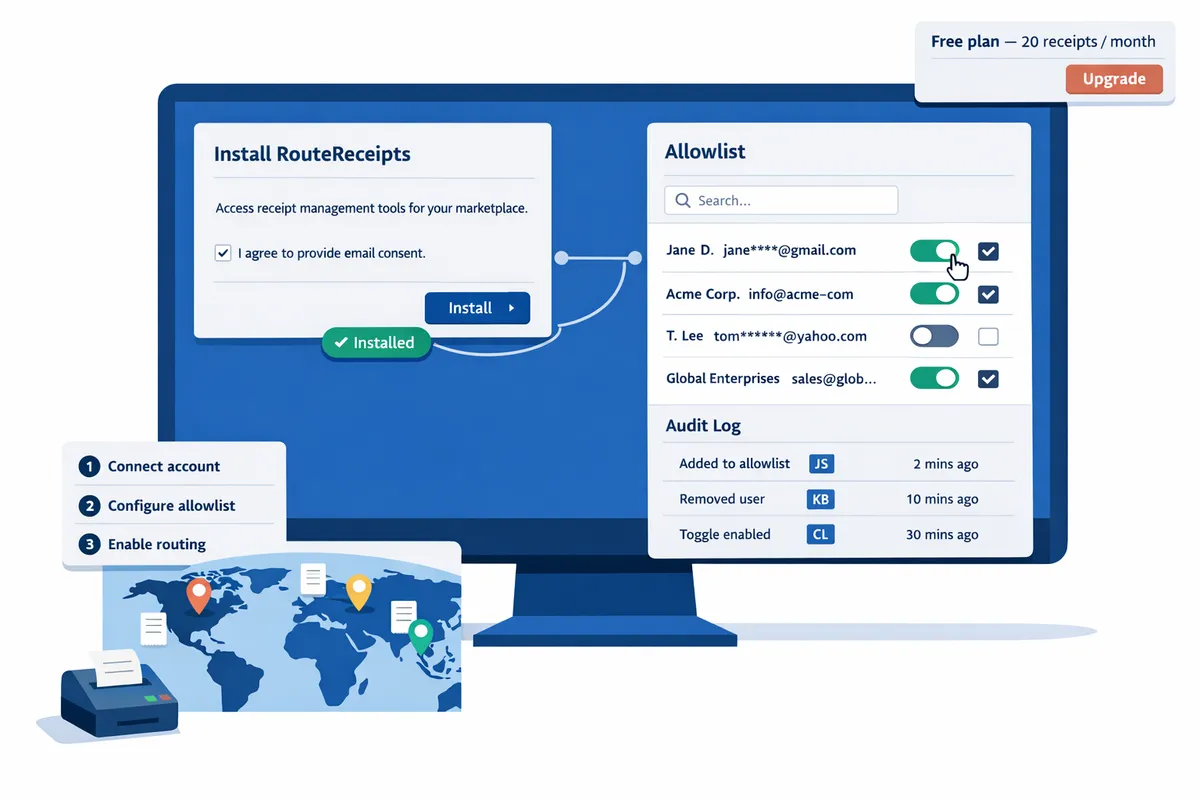
Route Receipts integrates with Stripe Terminal by routing terminal email receipts based on an allowlist you manage inside the Stripe Dashboard. Our app starts with a free plan that includes 20 receipts per month and installs via the Stripe Marketplace for quick setup.
What is RouteReceipts and how does it differ from Stripe native receipts? 🧩
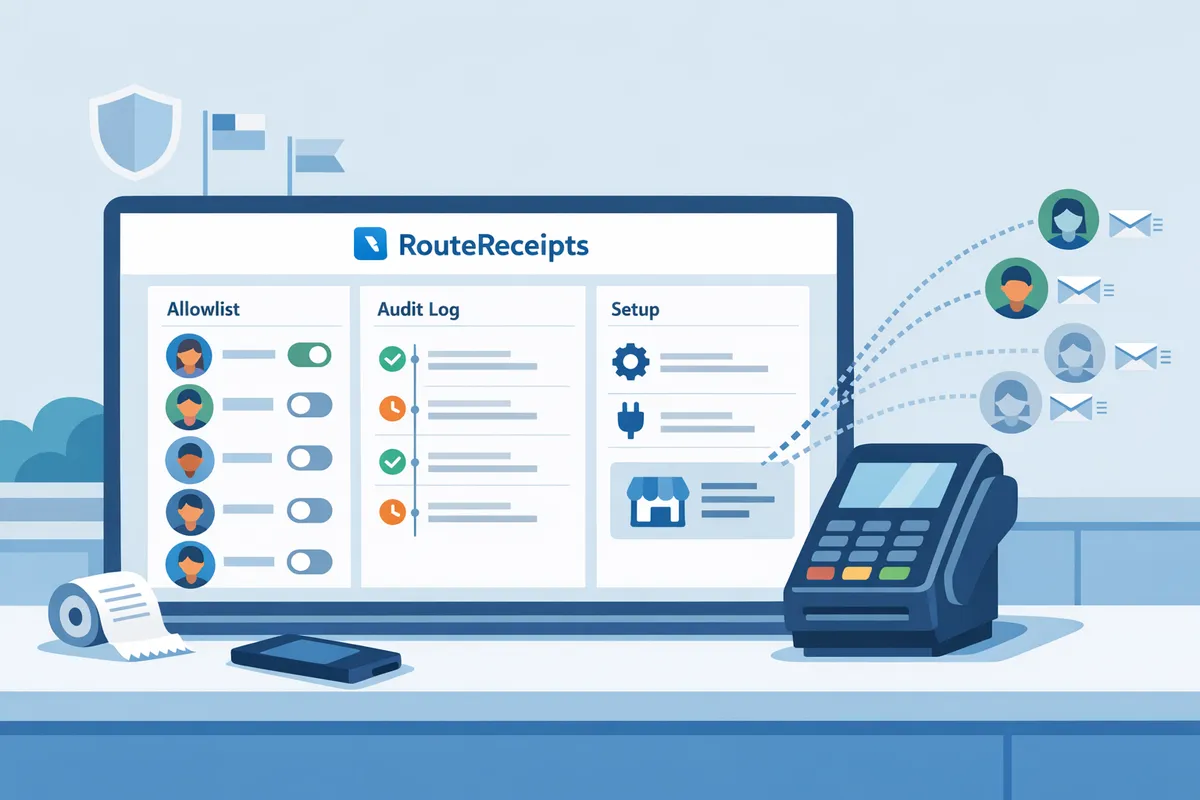
Route Receipts is a Stripe app that routes receipt emails selectively using an allowlist and a dashboard-native decision audit log. Our app takes the Stripe Terminal payment event, evaluates the customer against an allowlist you create in the dashboard, and then issues or suppresses the email receipt to prevent duplicates and unwanted emails.
According to the Route Receipts documentation, installation happens through the Stripe Marketplace and the app provides a dashboard UI to manage allowlist entries, plan usage, and a decision audit log that records every routed receipt. Disabling Stripe's automatic receipts is a recommended step in the setup so Route Receipts becomes the single source of truth for stripe terminal email receipts. See the Route Receipts documentation for step-by-step setup and allowance rules.
💡 Tip: Disable Stripe automatic receipts in your account settings before enabling Route Receipts to avoid duplicate emails.
What problems does selective receipt routing solve for merchants? 💼
Selective routing reduces unnecessary emails and lowers support, finance, and compliance burdens for merchant teams. Many finance teams waste time handling misplaced receipts and redacting sensitive fields; for example, manually resolving 20 misrouted receipts can take several staff-hours per month. Selective routing prevents this by sending expense-ready receipts only to enterprise clients or customers who opt in.
Business consequences of a DIY or all-or-none approach:
- Wasted staff hours. Manually filtering, resending, and reconciling receipts increases bookkeeping time.
- Increased support load. Customers who should not receive receipts contact support to opt out or to get corrected receipts.
- Compliance risk. Sending receipts with incorrect tax or line-item data to regulated clients can create audit headaches.
Route Receipts mitigates those costs by automating the decision, providing a searchable audit log for compliance reviewers, and keeping the allowlist in the Stripe Dashboard so non-engineering teams can operate it. For implementation templates and rationale, see Why Did We Build Route Receipts? and our FAQ.
How do RouteReceipts, Stripe native receipts, and DIY webhooks compare? 📊
Route Receipts, Stripe native receipt settings, and DIY webhook solutions differ on setup time, maintenance burden, auditability, and error risk. Below is a concise comparison to help commercial decision-making.
| Capability | Route Receipts | Stripe native receipts | DIY webhooks (custom) |
|---|---|---|---|
| Setup time | Short. Install from Stripe Marketplace and create allowlist in minutes. | Very short. Toggle on/off in Dashboard. | Long. Build, test, and deploy webhook handlers and retry logic. |
| Maintenance burden | Low. Dashboard UI and plan management reduce engineering involvement. | None to low. No extra tooling but no selective control. | High. Requires ongoing code fixes, monitoring, and scaling. |
| Auditability | High. Dashboard-native decision log shows who was sent a receipt and why. | Low. No per-decision audit trail beyond payment records. | Variable. Requires building your own logs and UI for auditors. |
| Error risk | Low. Central routing avoids duplicate emails if Stripe auto-receipts are disabled. | Medium. Risk of sending receipts to all customers when some should not receive them. | High. Duplicate or missed emails are common without robust retry and deduplication. |
| Business fit | Teams that need selective distribution without engineering work. | Teams that accept sending receipts to every payer. | Companies with developer resources and complex custom rules. |
Route Receipts reduces the need for engineering time and provides auditability inside the Stripe Dashboard, while DIY webhooks demand ongoing developer effort and higher operational risk. See our documentation for setup steps and the No‑Code guide for a walkthrough of the allowlist flow.
How do you set up Stripe Terminal receipts with RouteReceipts step by step?
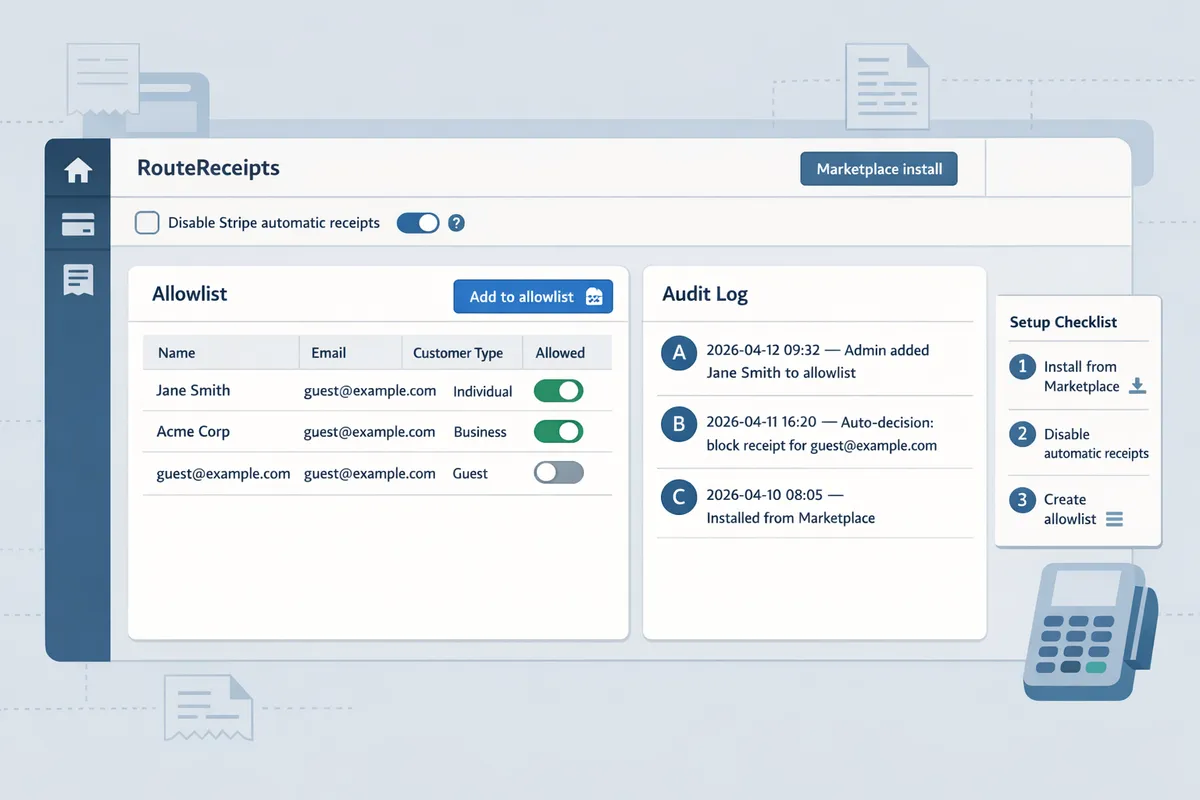
You set up Stripe Terminal receipts with RouteReceipts by installing the app from the Stripe Marketplace, disabling Stripe's automatic receipts, creating an allowlist, and verifying with a test Terminal transaction. This sequence prevents duplicate emails and gives you control over which customers receive receipts without custom webhooks or heavy engineering.
Prerequisites and permissions you need 🔐
You need a Stripe account with Terminal enabled and admin permissions to install Stripe Marketplace apps. Ensure your Stripe account role includes the ability to install Marketplace apps and edit account-level email settings. Verify Terminal devices are updated, online, and assigned to the correct location before proceeding to avoid test failures.
- Required items:
- Stripe account with Terminal enabled and at least one terminal registered.
- Admin or Owner role that can install Marketplace apps and change account settings.
- Access to the email addresses or Stripe customer IDs you will add to the allowlist.
- Quick device checks:
- Confirm the terminal shows "Ready" in the Stripe Dashboard Devices list.
- Ensure device firmware is at the current recommended version in Terminal settings.
⚠️ Warning: If you install RouteReceipts with a non-admin account the OAuth consent will fail. Use an Owner or Admin to avoid permission errors.
See our detailed install checklist in the RouteReceipts documentation for screenshots and common permission error messages: RouteReceipts Documentation. The FAQ also lists quick fixes for permission issues: RouteReceipts FAQ.
How to install RouteReceipts from the Stripe Marketplace 🖥️
Install RouteReceipts by finding it in the Stripe Marketplace and completing the OAuth flow that grants the app permission to manage receipt routing. The steps below match the Marketplace OAuth screens you will see and point to where the app appears after install.
- Sign into the Stripe Dashboard as an Admin/Owner. Open Marketplace and search for "RouteReceipts."
- Select RouteReceipts and choose "Install". The OAuth consent screen lists scopes such as read payments, manage receipts, and view customers. Approve those scopes to continue.
- On the final screen choose the Stripe account (if you have multiple) and confirm installation.
- After install, find RouteReceipts under Settings → Connected apps or Marketplace → Installed apps. Open the app to finish initial setup (allowlist, routing toggles).
If the OAuth screen reports a missing scope, uninstall and reinstall while signed in as an Owner. For a no-code walkthrough with screenshots, see our beginner's guide: The No‑Code Way to Route Customer Receipts in Stripe.
How to disable Stripe automatic receipts and enable RouteReceipts routing 🔁
Disable Stripe's automatic email receipts in your Dashboard and then enable RouteReceipts routing so only allowlisted customers receive emails. This prevents duplicate emails from Stripe and the RouteReceipts flow.
- In Stripe Dashboard go to Settings → Customer emails (may appear as "Email settings" or "Customer emails").
- Turn off the toggles for the automatic emails you do not want (for example: "Successful payments", "Refunds", and "Invoices").
- Open RouteReceipts in Installed apps and enable the routing toggle labeled "Route Terminal receipts" or "Enable receipt routing."
- Verify by checking Settings → Customer emails again; RouteReceipts should display a status confirming the account-level routing override.
After disabling Stripe automatic receipts, process a test payment and confirm only one receipt is sent from the RouteReceipts flow. If Stripe still sends receipts, re-check the Customer emails toggles and reinstall RouteReceipts if necessary. Our setup guide lists exact screen locations and change logs: RouteReceipts Documentation.
How to create and manage an allowlist and audit log entries 🗂️
Create an allowlist inside the RouteReceipts app by adding customer emails or Stripe customer IDs; every routing decision is recorded in an audit log you can review. The allowlist supports single-entry adds, CSV bulk import, and expiration flags for temporary permissions.
- Add a single customer:
- Open RouteReceipts → Allowlist → Add customer.
- Enter the customer email or Stripe customer ID and an optional note (e.g., "corporate card admin").
- Bulk import:
- Upload a CSV with a single column of emails or customer IDs. RouteReceipts validates entries and returns a preview with errors before committing.
- Edit or revoke:
- Use the allowlist UI to search, edit notes, set an expiration date, or remove entries.
- Audit log entries:
- Each routed payment records payment ID, customer identifier, decision (sent/blocked), actor (system or user), and timestamp for compliance reviews.
⚠️ Warning: Collect explicit consent when capturing customer emails at the POS to comply with privacy rules and regional receipt requirements. See our privacy guidance and support resources: Support.
For step-by-step examples of allowlist CSV formatting and the audit log fields, see the docs page on allowlist management: RouteReceipts Documentation. Background on why we built selective routing and auditability is available in our origin post: Why Did We Build Route Receipts?.
How to test, verify, and troubleshoot receipt delivery for Terminal transactions 🔍
Verify RouteReceipts with a test Terminal payment, then check the RouteReceipts audit log and the email headers to confirm routing and avoid duplicates. Use the checklist below to reproduce common issues and resolve them quickly.
Testing checklist (ordered):
- Put your Terminal in test mode and run a successful test payment using a test card number or Stripe's test flow.
- In Stripe Dashboard open Payments and locate the test payment. Note the Payment ID and customer identifier.
- Open RouteReceipts → Audit log and filter by Payment ID; confirm the decision shows "sent" for allowlisted customers or "blocked" for others.
- Check the received email headers for the message source and timestamps to ensure RouteReceipts-originated routing.
Common failures and fixes:
- Duplicate receipts. Cause: Stripe automatic receipts still enabled. Fix: Re-check Settings → Customer emails and ensure the relevant toggles are off.
- Missing receipts for an allowlisted customer. Cause: email mismatch or import error. Fix: confirm the customer email exactly matches the Stripe customer record and check the CSV import error report in RouteReceipts.
- Email delivery issues. Cause: recipient spam filters or email bounces. Fix: verify the recipient's mailbox, and check delivery headers for bounce messages.
If you reproduce an issue, collect the Stripe account ID, Payment ID, and a screenshot of the RouteReceipts audit entry, then contact support with those details: RouteReceipts Support. For a step-by-step troubleshooting flow and examples of audit log entries, see the troubleshooting section in our docs: RouteReceipts Documentation.
How should businesses meet Stripe Terminal receipt requirements and optimize routing across customers and regions in 2026?
Businesses should match local printed-receipt rules, confirm explicit email consent where required, and use selective routing to send receipts only to customers who need them. This reduces support tickets, lowers printing costs, and keeps you compliant across the US, EU, and UK. RouteReceipts helps implement selective delivery from the Stripe Dashboard so teams can enforce regional rules without custom webhooks.
What are Stripe Terminal physical receipt requirements in 2026? 🧾
Physical receipt requirements vary by jurisdiction and typically focus on tax display, merchant identification, and when a printed copy must be provided. EU jurisdictions often expect VAT or tax breakdowns on printed receipts for B2B sales and public-facing VAT registration on invoices. The UK generally requires VAT registration numbers on invoices for VAT-registered businesses, while US rules differ by state and by merchant type, with many states requiring a printed receipt at point of sale only above a specific transaction value. For compliance, print receipts that include merchant name, registration or VAT number when applicable, a clear tax breakdown per line item, the transaction timestamp, and the terminal ID.
How RouteReceipts helps. RouteReceipts reduces unnecessary prints by sending email copies to allowlisted customers and keeping printed receipts for transactions and regions that legally require them. See our Documentation for a step-by-step setup to disable Stripe’s automatic receipts and manage printing exceptions.
Email vs physical receipts: decision tree and compliance table ⚖️
Choose email, printed, or hybrid receipts based on legal requirements, customer preference, and cost. Use email for low-value consumer transactions and for expense-account customers who request digital records. Choose printed receipts when local law requires them or when the buyer explicitly requests a paper copy.
| Receipt type | Compliance fit | Customer experience | Typical cost and operations impact |
|---|---|---|---|
| Email receipts | Good for low-value retail, expense reporting, and jurisdictions that allow digital delivery | Fast delivery, searchable, easy to archive | Low per-transaction cost, requires opt-in workflow and reliable routing |
| Printed receipts | Required in some EU/UK B2B scenarios and specific US state rules | Immediate proof at hand, preferred by cash customers | Higher per-transaction cost, requires stable printers and clear layouts |
| Hybrid (both) | Useful when law permits digital but customers want paper | Best for customers who need both proof and an archive | Higher ops cost; use selectively for high-value or regulated sales |
Decision tree (quick): If local law mandates a printed receipt, print. Else if the customer is allowlisted for digital receipts, send email. Otherwise offer a printed copy on request.
RouteReceipts note. Use RouteReceipts to minimize blanket email sends and to maintain a clear audit log of which customers received email copies. For a no-code walkthrough, see our beginner’s guide to selective delivery.
How to show refunds, partial returns, and tip handling on Terminal receipts 🧾↔️
Receipts must clearly indicate the original transaction, each refund or partial return, and any tip adjustments with timestamps and reference IDs. Use phrasing such as: "Partial refund applied: $XX.XX to line item 'Item name' (Refund ID: R_12345)" and "Tip adjusted: +$X.XX — new total $YY.YY (Tip recorded at terminal T_01)." Always include the original transaction ID and the terminal ID on the refund receipt to reduce disputes.
Practical flow. When a refund occurs, update the customer with a new receipt that shows original line items, the refunded amounts, remaining balance, and the refund authorization ID. For tip changes, show pre-tip subtotal, tip value, and final total. RouteReceipts can route the updated receipt to the original allowlisted customer automatically or skip email if the customer is not allowlisted to prevent clutter.
Example phrasing for receipts. Use clear, short lines: "REFUND: $12.00 — Partial refund for Item A. Original TXN: T_98765." This reduces ambiguity in bank disputes and expedites reconciliation.
How to collect POS email consent and protect privacy without losing conversions 📧
Obtain explicit, minimal consent at the point of sale and store only what you need for receipts. Use a short, clear prompt at checkout such as: "Email receipt? Enter email and check to receive a digital receipt and transaction updates." Require an explicit checkbox for consent when law demands it and avoid pre-checked boxes.
Privacy-safe practices. Collect the email address only to send receipts, do not store unnecessary profile data on the terminal, and record the consent timestamp and method. Offer a paper alternative and a quick opt-out flow so walk-up customers do not feel trapped. Keep your retention policy visible and link to it from the consent prompt.
💡 Tip: Use a one-step email entry with an explicit checkbox and show a brief privacy line like: "We use this email only to send receipts and refunds. Manage preferences at any time." This reduces abandoned checkouts.
How RouteReceipts helps. RouteReceipts uses the allowlist you manage in the Stripe Dashboard to respect customer consent and avoids sending emails to customers who did not opt in. Consult the FAQ for data handling details and the Documentation for how allowlist entries are stored and audited.
Which customers should be allowlisted for email receipts: practical use cases 🧾
Allowlist customers who require receipts for accounting, compliance, or expense workflows, and skip casual walk-up customers to reduce inbox clutter. Typical allowlisted groups include enterprise procurement buyers, B2B clients who need VAT-compliant emails, employees with expense accounts, and subscription customers who request aggregated monthly receipts.
Decision criteria and steps. Add a customer to the allowlist if they regularly request emailed documentation, need invoices with tax IDs, or have an expense policy requiring emailed receipts. Use the Stripe Dashboard to add customer IDs or emails to your allowlist, then verify with a test Terminal transaction to confirm routing. If a customer’s status changes, remove them from the allowlist to stop future emails.
RouteReceipts workflow. RouteReceipts stores allowlist entries and logs each routing decision for auditability, so finance teams can prove who received receipts and when. For installation and dashboard screens, follow the step-by-step instructions in our Documentation and review the no-code guide to selective delivery for common onboarding patterns.
For support with edge cases like duplicate receipts or missing emails, see our Support page and the FAQ for troubleshooting steps and required IDs to include when contacting us.
Frequently Asked Questions
This FAQ answers implementation and compliance questions about Stripe Terminal receipt requirements 2026 and how Route Receipts integrates with your Stripe workflow. Use these answers to speed setup, reduce support tickets, and ensure regional tax and privacy needs are met.
Can I keep Stripe's automatic receipts enabled and still use Route Receipts? 🤔
No. You must disable Stripe's automatic receipts before using Route Receipts to avoid duplicate or conflicting emails. Route Receipts depends on controlling the delivery decision from the dashboard so it can send receipts only to customers on your allowlist. To disable automatic receipts, open the Stripe Dashboard (Settings > Customer emails) and turn off payment and receipt emails, then follow the Route Receipts installation steps in the Route Receipts documentation to complete setup.
💡 Tip: Disable automatic receipts in live and test mode before testing. Run one Terminal transaction in test mode and confirm a single routed email appears in the Route Receipts audit log.
Do printed Terminal receipts need different tax wording in the EU versus the US? 🌍
Yes. Printed Terminal receipts require different tax fields and wording depending on jurisdiction, and those differences affect what appears on paper receipts. EU printed receipts commonly require VAT breakdowns, seller VAT number, and, where applicable, a reverse charge or tax-exempt note. US printed receipts usually show state and local sales tax lines and may include a business tax ID depending on state rules. Route Receipts controls emailed receipts and routing; for Terminal-printed templates, confirm your Stripe Terminal receipt template and local tax rules in your accounting system and update your POS settings accordingly.
What if a customer asks for a receipt after a Terminal transaction? 🧾
You can add the customer to your allowlist and resend the receipt from the Route Receipts dashboard after the transaction. Locate the payment in the Route Receipts app, add the customer email or customer ID to the allowlist, and click resend; the app records the action in the decision audit log for traceability. For step-by-step screenshots of this flow, see the no-code guide to selective delivery and the Route Receipts documentation.
How do I verify a Terminal receipt was routed correctly? ✅
Verify routing by checking the Route Receipts decision audit log, confirming email delivery headers, and confirming the customer received the message in their inbox. Open the Route Receipts audit entry for the payment to see the routing decision and timestamp, then examine the delivered email headers (or your outbound mail logs) to confirm delivery path and Message-ID. If inbox delivery fails, the Route Receipts audit log shows the failure reason and you can follow the troubleshooting steps in the documentation or contact support with the payment ID.
Will using Route Receipts increase PCI or data compliance scope? 🔒
Using Route Receipts does not increase PCI scope because the app operates within Stripe platform permissions and does not require storing cardholder data. You should, however, review the Route Receipts Terms of Service and your privacy policy to confirm how email addresses and customer metadata are handled. Also confirm consent where required (for example, explicit email opt-in rules in certain EU jurisdictions) and document the consent in your customer record to reduce compliance risk.
How are refunds and tip adjustments represented on emailed Terminal receipts? ↩️
Refunds and tip adjustments appear as separate line items on the emailed receipt with a reference to the original transaction. Route Receipts preserves the Stripe receipt template structure so you will see a refund line (amount, reason, reference) and a distinct tip-adjustment line when a tip is increased or decreased after settlement. Follow the refund-handling template in the Route Receipts documentation to include the refund reference and avoid disputes; include partial refund amounts and reasons to make reconciliation easier for finance teams.
Related resources: see the Route Receipts documentation for installation and allowlist configuration, the no-code guide to selective delivery for dashboard workflows, and the Route Receipts FAQ for additional policy answers. If you need direct help, contact Route Receipts support with your Stripe account ID and payment IDs.
Prepare receipts for Stripe Terminal by meeting device rules and choosing selective delivery.
Meeting the Stripe Terminal receipt requirements 2026 means balancing physical receipt obligations with clear, targeted email delivery to reduce finance workload and compliance risk. If you use stripe terminal email receipts, pick a flow that prevents duplicate messages and keeps enterprise customers' expense tracking intact.
RouteReceipts is a specialized application designed to enhance the way businesses manage their Stripe receipt distribution. It gives teams dashboard-based control to selectively send receipts via an allowlist, adds a decision audit log for transparency, and installs from the Stripe Marketplace without custom webhooks. For step-by-step setup and allowlist configuration, follow our RouteReceipts Stripe setup guide in the documentation and review the no-code implementation in the beginner’s guide.
💡 Tip: Disable Stripe's automatic receipts before enabling routing to avoid duplicate emails.
If you want a tailored rollout, schedule a consultation through our support page to review compliance needs and receipt routing options. Read our FAQ or Why Did We Build Route Receipts? for implementation context before the call.