
Stripe Terminal SDK vs API for Receipts
A single misrouted in-store receipt can trigger expense disputes and three hours of manual reconciliation for retail teams. Stripe Terminal SDK vs API for receipts is a technical comparison that defines whether to use Terminal's client-side SDK or server-side API calls to send and route receipts from point-of-sale devices. This best-practices guide shows the trade-offs in control, implementation time, and compliance risk so you can choose the right approach for your in-store receipt workflows. Our RouteReceipts app stops Stripe's default all-or-nothing receipt behavior by letting you manage an allowlist inside the Stripe dashboard without custom webhooks. See the RouteReceipts documentation and the RouteReceipts FAQ for setup details. Which method gives you selective delivery with minimal engineering overhead?
How should merchants choose between the Stripe Terminal SDK and the Terminal API for receipts?
Choose the Stripe Terminal SDK when you need reader-driven, client-side receipt triggers and offline-capable flows; choose the Terminal API when you need centralized server control, post-transaction lookups, or programmatic receipt routing. Route Receipts is the easiest add-on when you want dashboard-based allowlist control of who receives receipts without building custom webhooks. The right choice reduces staff time, prevents duplicate emails, and lowers reconciliation errors at scale.
What is the Stripe Terminal SDK? 🧭
The Stripe Terminal SDK is a client-side library that connects your POS app to physical card readers and triggers in-device receipt flows. It runs inside your point-of-sale app on iOS, Android, or JavaScript and supports local email collection UI and offline capture that queues receipt data until connectivity returns. Use the SDK when the cashier should ask for an email at the counter, offer an on-screen receipt choice, or continue taking payments in airplane mode. For example, a cafe with intermittent Wi-Fi can collect an email at checkout and let the SDK upload queued receipts when the connection returns, avoiding lost sales and manual follow-up.
Key considerations:
- Platforms: iOS, Android, JavaScript (choose the SDK that matches your POS platform).
- Offline behavior: local queueing reduces failed receipts during network outages.
- UX: native email capture reduces typing errors and speeds checkout.
You can pair the SDK with our Route Receipts app to manage which customers actually get emailed without changing POS logic. See the Route Receipts Documentation for setup and allowlist options.
What is the Stripe Terminal API? 🔁
The Stripe Terminal API is a server-side interface that creates and manages payment intents and generates receipts from your backend. Use the API when you want single-source decisioning for receipt delivery, server-side templates or programmatic customization, or reliable post-sale lookups across many readers and locations. For instance, a retail chain with a central finance team can decide at the backend which customers receive receipts for expense reporting and which do not, then query receipts after settlement for audits.
Operational points:
- Central control: make routing decisions once and apply them across stores.
- Post-transaction lookups: server-side records simplify customer support and reconciliations.
- Custom delivery: apply business rules (corporate vs retail customers) before sending.
If you prefer low-code allowlist management instead of building routing rules, our Route Receipts app integrates at the account level and provides a dashboard-native allowlist and audit log. Read why we built it in Why Did We Build Route Receipts?.
Decision matrix: SDK vs API vs Route Receipts
Use this table to match your receipts needs to the SDK, the Terminal API, or Route Receipts. The right combination often pairs an SDK or API flow with Route Receipts for selective delivery.
| Criterion | SDK (client) | API (server) | Route Receipts |
|---|---|---|---|
| Offline receipts | Good (local queue) | Limited (needs server) | Improves routing after sync |
| Collect customer email at POS | Native UI support | Requires POS → backend flow | Works with either method |
| Fine-grained allowlist control | Harder to centralize | Easier server-side | Dashboard-native allowlist |
| Operational overhead | Higher app work | Higher backend work | Low-code install via Stripe Marketplace |
Interpretation and examples:
- If you rely on in-store staff to collect customer emails and must operate offline, prefer the SDK and route final delivery through Route Receipts so you do not build an allowlist service. For example, a pop-up shop that runs offline sales can queue receipts locally and let Route Receipts decide post-sync who receives an email.
- If you need head-office rules, centralized logging, and the ability to re-send receipts after settlement, choose the Terminal API and connect your routing logic to the backend. Large multi-location retailers typically follow this path.
⚠️ Warning: Disable Stripe's automatic receipt emails when you install Route Receipts to avoid duplicate messages; see our FAQ and Documentation for the exact steps.
How to implement practical receipt flows for Stripe Terminal in brick-and-mortar stores
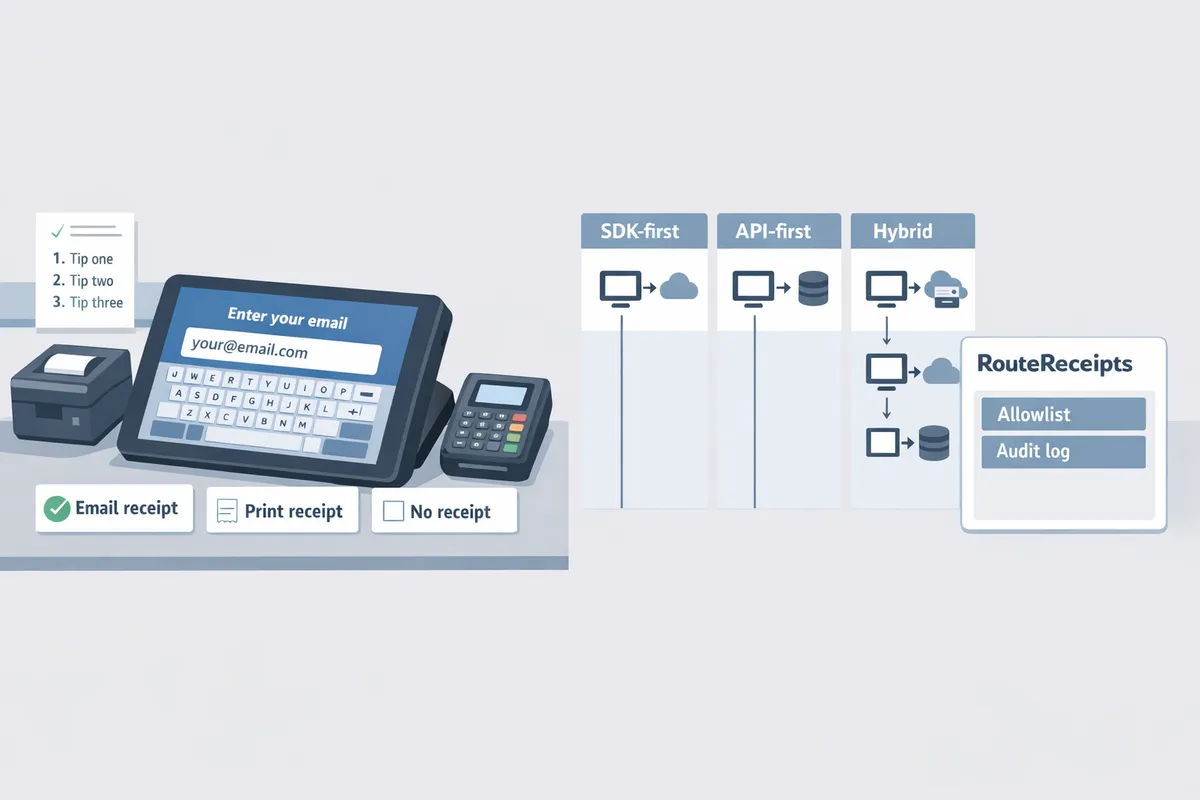
Choose one of three practical receipt patterns—SDK-first, API-first, or a hybrid—and map where you collect customer email and where receipt routing rules run (POS app, backend, or Route Receipts dashboard). Each pattern handles offline scenarios and duplicates differently, so pick the pattern that matches your store’s connectivity and compliance needs. The sections below give step-by-step workflows, test checks, and where Route Receipts fits into each approach.
SDK-first in-store flow (step-by-step) 🧾
An SDK-first flow captures customer email on the reader and queues receipts locally so the reader can deliver them once connectivity returns. This approach is the best fit when you need immediate on-device confirmation and must support Stripe Terminal offline receipts. Follow these steps.
- Collect customer email on the reader UI. Make the email field optional and validate format (e.g., +12223334444 for phone/alternate contact where used) to avoid bouncebacks.
- Attach the email to the PaymentIntent or a Customer record via the SDK before finishing the transaction so the receipt target is stored with the sale.
- Mark a local receipt preference on the device (receipt_requested = true) and let the SDK queue the send while offline.
- Allow the reader to retry delivery automatically when it reconnects and verify delivery in your POS app once the SDK reports success.
Testing checklist.
- Use an offline reader and complete a sale.
- Reconnect the reader and confirm queued receipts are delivered and not duplicated.
- Check your backend logs or POS audit to confirm the PaymentIntent contains the captured email.
Route Receipts fits this flow by enforcing allowlist rules during server reconciliation. If you capture an email on-device, Route Receipts can still decide post-transaction whether that customer receives an email once your backend reconciles the queued event. See the Route Receipts documentation for setup details.
API-first server flow (step-by-step) 🛠️
An API-first flow routes receipt decisions through your backend after the payment completes so servers control delivery, retries, and audit logs. This pattern suits multi-terminal stores that centralize compliance and reporting.
- POS app sends sale metadata and captured customer contact to your server immediately after the reader reports success.
- Server creates or updates the Stripe PaymentIntent or Charge and attaches the customer email or customer ID before finalizing receipt routing.
- Server triggers receipt delivery via the Terminal API or by setting Stripe email receipt preferences, then records the routing decision in an audit log.
- Use centralized retry and duplicate protection on the server to handle transient failures and ensure one receipt per sale.
Practical checks.
- Confirm your server logs include sale identifiers (terminal reader ID, PaymentIntent ID).
- Reconcile delivered receipts against POS reports daily to surface missed emails quickly.
Route Receipts integrates naturally with an API-first flow: install the app from the Stripe Marketplace and disable Stripe’s automatic global receipts so Route Receipts can apply allowlist rules server-side. Visit the Route Receipts documentation and FAQ for installation and configuration guidance.
Hybrid and offline-safe patterns 🔁
A hybrid flow captures email on-device for immediate customer feedback and uses a server reconciliation step to finalize routing and prevent duplicates. This pattern balances customer experience with centralized controls and reduces lost receipts during outages.
- Collect email on the terminal and show an immediate "receipt queued" confirmation to the customer.
- Push the minimal sale payload to your backend (sale ID, email, timestamp) as soon as connectivity allows.
- Run a reconciliation job on the server that verifies whether the customer is on your allowlist and then triggers the final receipt send or suppresses it.
- Mark the sale record with a final status (receipt_sent, suppressed, or retry_pending) to prevent duplicate emails.
Example scenario.
- A store with intermittent Wi-Fi shows customers a queued confirmation at the counter, then the backend uses the store’s allowlist rules to suppress unnecessary receipts and only send to customers who need them.
To avoid duplicate emails, implement duplicate protection on the server (store a receipt_sent flag) and let Route Receipts manage allowlist decisions during reconciliation. The Route Receipts decision audit log helps resolve disputes when a customer claims non-receipt.
⚠️ Warning: If you use Route Receipts, disable Stripe’s automatic global receipts to prevent duplicate emails. See the Route Receipts documentation for exact steps.
How Route Receipts fits into your receipt flow 🔎
Route Receipts is an app that routes receipts using an allowlist managed in the Stripe dashboard so only selected customers receive email receipts. Install Route Receipts from the Stripe Marketplace, configure your allowlist in the dashboard, and Route Receipts will apply those rules to incoming receipts without custom webhook coding.
Practical integration checklist.
- Install Route Receipts and connect it to your Stripe account.
- Disable Stripe automatic receipts to avoid duplicates.
- Add customer IDs or emails to the allowlist in the Route Receipts dashboard.
- Use the decision audit log to reconcile misses and confirm delivery decisions for finance teams.
Where Route Receipts adds value.
- Removes inbox clutter for customers who do not need receipts.
- Gives finance teams an audit trail to resolve expense disputes.
- Lets you keep local SDK behavior (instant queued receipts) while applying centralized suppression rules during server reconciliation.
For step-by-step setup and troubleshooting, see the Route Receipts documentation and the Route Receipts FAQ. For background on the product rationale and implementation templates, read Why Did We Build Route Receipts? in our blog.
How to measure receipt reliability, troubleshoot failures, and decide when to stop DIY
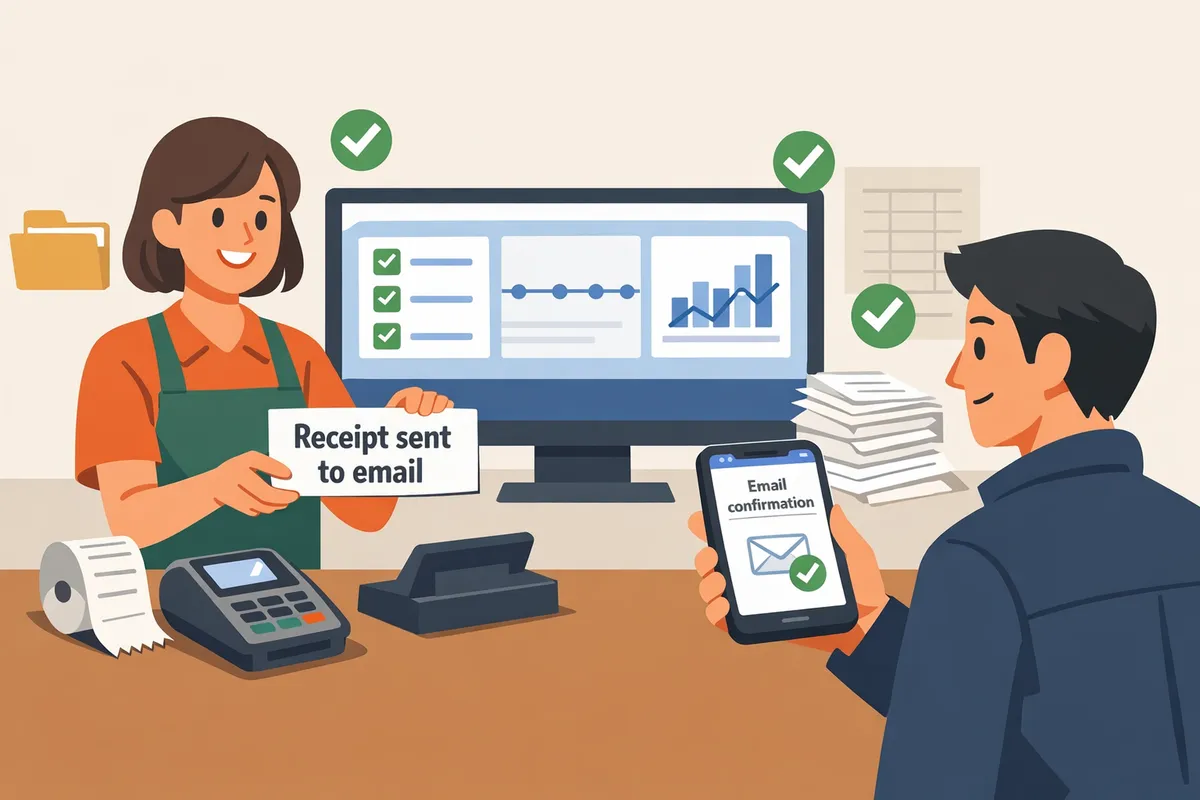
Measure receipt reliability by tracking delivery rate, POS email capture rate, duplicate or missing receipt incidents, and mean time to resolve receipt problems. These metrics quantify operational burden and show when engineering time should shift from custom routing to a managed app like Route Receipts. Use the numbers to compare ongoing cost of fixes versus the price and operational benefits of Route Receipts.
Key metrics to track and dashboards to build ✅
Track receipt delivery rate, POS email capture percentage, duplicate/missing receipt counts, and mean time to resolve incidents. These four metrics show whether receipts reach customers, whether the POS collects the contact information needed to send receipts, how often you generate noise for customers, and how long finance spends fixing problems.
- Receipt delivery rate. Calculate delivered receipts divided by attempted receipts. Investigate if rate drops below a chosen SLO (for example, 98 percent).
- POS email capture percentage. Measure the share of transactions where the POS captured an email at checkout. Low rates point to UX or staff training issues; require "collect customer email on Stripe Terminal for receipts" for expense-claim workflows.
- Duplicate and missing receipt incidents. Count distinct incident tickets and group by location, reader, and integration path (SDK vs API).
- Mean time to resolve (MTTR). Track time from incident creation to resolution for each receipt problem.
Build dashboards that surface offline sync failures, locations with high variance in delivery rate, and allowlist hits versus misses. Our website recommends surfacing these as a weekly operational report for store managers and finance. Route Receipts’ decision audit log and allowlist hits simplify attribution; see the Route Receipts Documentation for setup details and the Frequently Asked Questions for common event mappings.
Common failure modes and practical fixes 🛠️
The most common failure modes are missing email capture at checkout, offline queues that never sync, duplicate receipts from mixed SDK/API flows, and incorrect customer assignment. Each has a practical fix and an operational consequence if you ignore it.
- Missing email capture. What to do: make email collection mandatory for expense-claim customers, add POS prompts for optional capture otherwise, and log the reason when a customer refuses. Business impact: a 5 percent miss rate on a 1,000-transaction month creates 50 manual reconciliations for finance.
- Offline queues that never sync. What to do: add retry windows, a nightly reconciliation job that flags unsynced payments, and an alert when a reader has not synced for a specified threshold. Business impact: delayed receipts hurt expense reporting and increase refund disputes.
- Duplicate receipts from mixed flows. What to do: standardize routing (server-side or SDK-only), disable Stripe automatic receipts when using custom routing, or use Route Receipts to centralize delivery rules. Business impact: duplicates increase support tickets and annoy enterprise customers.
- Incorrect customer assignment. What to do: add POS confirmation screens showing customer name/email before completing a payment and reconcile customer records daily.
⚠️ Warning: Disable Stripe automatic receipts before enabling custom routing to avoid duplicates. See our guide on selective routing in the No‑Code Way to Route Customer Receipts for step-by-step checks.
For recurrence tracking, document each fix in your incident playbook and record whether the same failure reappears in the next 30 days.
Testing checklist, rollback plan, and compliance steps 📋
Test receipt flows with staged traffic, explicit offline simulations, and a rollback plan that re-enables Stripe's default receipts if routing breaks. Follow this numbered checklist when you release changes.
- Staged traffic. Route 5 to 10 percent of live transactions to the new flow and monitor delivery rate and MTTR for 48 hours.
- Offline simulation. Force readers into offline mode for a schedule of simulated transactions, then confirm the sync and delivery behavior for each queued payment, including "Stripe Terminal offline receipts" cases.
- Duplicate-suppression test. Run mixed SDK/API transactions and verify only one receipt is delivered per transaction.
- Allowlist/denylist validation. For merchants using selective routing, test allowlist entries with typical enterprise and retail customer profiles.
- Rollback plan. Define a single toggle that re-enables Stripe automatic receipts and disable custom routing. Validate that the toggle works in under five minutes and that finance receives a notification.
Keep an immutable audit trail of routing decisions and receipt deliveries for compliance. Route Receipts includes a decision audit log you can export for reporting; see the Documentation and Frequently Asked Questions for formats and retention guidelines. Maintain consent records for customers who opt in to receipts and handle emails according to your privacy policy and local regulations.
When should you stop DIY and use Route Receipts? 📊
Switch to Route Receipts when ongoing engineering, QA, and reconciliation work costs more than the app subscription and when non-technical teams need control over which customers receive receipts. Route Receipts centralizes routing, removes many duplicate email edge cases, and provides a dashboard for finance and ops to manage allowlists without developer time.
| Business scenario | DIY via Terminal SDK or Terminal API | Route Receipts (recommended when) |
|---|---|---|
| Low volume, simple rules | Acceptable. Fewer than ~200 receipts/month and minimal customization. | Consider Route Receipts if you want admin controls without code. |
| High volume, mixed customer policies | Risky. You will spend engineering hours on edge cases, duplicates, and audits. | Use Route Receipts to reduce reconciliation work and provide an allowlist dashboard. |
| Offline-heavy locations | DIY requires robust retry and reconciliation engineering for "Stripe Terminal offline receipts" cases. | Route Receipts reduces routing complexity and surfaces sync failures in a dashboard. |
| Non-technical ops control needed | DIY forces engineering to make small rule changes. | Route Receipts gives ops an allowlist UI and an auditable decision log. |
Route Receipts starts with a free plan that includes 20 receipts per month and scales to paid plans as volume grows; check the Documentation for plan details and installation steps. For background on why selective routing shortens finance workflows, read our post about Why Did We Build Route Receipts?.
Frequently Asked Questions
This FAQ answers the merchant questions most likely to affect day-to-day receipt operations: SDK vs API trade-offs, email capture, offline behavior, and how Route Receipts changes routing. Route Receipts is an application that gives merchants selective control over which customers receive Stripe receipt emails by maintaining a dashboard-native allowlist.
Can I collect customer email on Stripe Terminal for receipts? 📧
Yes — you can capture customer email either in the Terminal SDK UI or in your POS and attach it to the payment for receipt delivery. The SDK includes built-in UI hooks to ask for email at checkout; with an API-first flow you collect the email in your POS and send it to your backend to attach to the PaymentIntent or Customer object. Make sure the format matches delivery expectations (for example, standard user@example.com addresses) and test capture while offline so queued receipts include the correct email. If you want selective delivery, save the email or customer ID to Stripe so Route Receipts can consult your allowlist.
How do Stripe Terminal offline receipts work? 🔁
Offline Terminal receipts queue locally on the reader or in the SDK and are delivered when the device regains network connectivity. The reader or SDK stores the minimal payment record and then syncs the completed sale to Stripe; once the sale appears in your Stripe account the normal receipt routing runs. Because syncs can arrive later, plan reconciliation steps to avoid duplicate sends and to confirm customer info was captured at the point of sale.
⚠️ Warning: Test offline flows on every reader model you support. Missing customer data or delayed syncs are the most common causes of late or duplicate receipts.
Can I customize receipt content from the SDK or the API? ✍️
Yes — both SDK and API let you add metadata and customer details, but server-side customization and templating work best through the Terminal API. Use the SDK for quick per-transaction fields (short notes, guest email capture). Use the API when you need branded templates, dynamic subject lines, or server-controlled customer attachments. For per-customer routing or to avoid building your own templating and routing logic, Route Receipts lets you manage who gets receipts without custom server templates.
If I use both SDK and API flows, how do I avoid duplicate receipts? ⚠️
Avoid duplicates by centralizing the final send decision and reconciling queued SDK transactions with your backend after sync. Common patterns: turn off automatic sends from the POS and make a single server-side decision to send, add duplicate protection flags on your backend, and match reader transaction IDs to server records after offline sync. Route Receipts can act as the single decision point for routing so you do not need to build and maintain your own audit and allowlist system.
💡 Tip: Disable Stripe’s automatic receipts when you centralize sending, then run a reconciliation job that marks synced transactions as eligible before calling the router.
Can Route Receipts handle receipts after an offline sale syncs? ✅
Yes — Route Receipts inspects the reconciled transaction when it appears in Stripe and then applies your allowlist rules to decide whether to send a receipt. The app records the routing decision in an audit log so you can trace late deliveries and troubleshoot why a particular customer did or did not receive a receipt. This makes post-sync handling predictable without extra webhook engineering on your side.
Does using Route Receipts require engineering resources? 🛠️
No — Route Receipts installs through the Stripe Marketplace and exposes a dashboard-native allowlist so non-developers can manage routing rules. Installation and basic configuration require only minimal engineering (mostly to disable Stripe automatic receipts if you centralize sends). For teams that otherwise would build a custom webhook router and audit log, Route Receipts reduces ongoing maintenance and support time. For rationale and implementation examples, see Why Did We Build Route Receipts? which outlines the business trade-offs.
Where can I find Route Receipts setup and troubleshooting help? 🔎
Find step-by-step installation, allowlist configuration, and troubleshooting in the Route Receipts documentation and support materials. The RouteReceipts documentation covers installation, disabling Stripe automatic receipts, how routing decisions are made, and common fixes for duplicates or missing receipts. For quick answers and plan questions consult the RouteReceipts FAQ, and for no-code setup patterns see our blog posts on selective delivery and the no-code routing guide.
Use the SDK for device-level receipt control; use the API for server-side routing.
Match your choice to the workflow you run in-store. The SDK makes sense when you need immediate, on-device decisions and offline printing. The API works best when you centralize receipt routing and want server-side allowlist checks. Stripe Terminal SDK vs API for receipts hinges on whether you collect emails at the terminal or perform routing after the transaction. For background on why selective routing matters for finance teams, see our post on why we built Route Receipts.
RouteReceipts is a specialized application designed to enhance the way businesses manage their Stripe receipt distribution.
If you need to collect customer email on Stripe Terminal for receipts, start with the SDK flow that prompts for email and pair it with RouteReceipts to control who actually receives the emailed copy. For setup steps and troubleshooting, consult the RouteReceipts documentation and the FAQ.
💡 Tip: Begin by adding your highest-value customers to an allowlist. That single change reduces inbox clutter and frees finance time.
Install RouteReceipts from the Stripe Marketplace and follow the getting-started guide in our documentation to create your first allowlist and stop sending unnecessary emails. Subscribe to our newsletter for ongoing tips and updates on Stripe Terminal receipt workflows.