Zapier vs Make vs Pabbly Connect vs RouteReceipts for Stripe Receipts: 2026 No‑Code TCO Calculator and Decision Guide
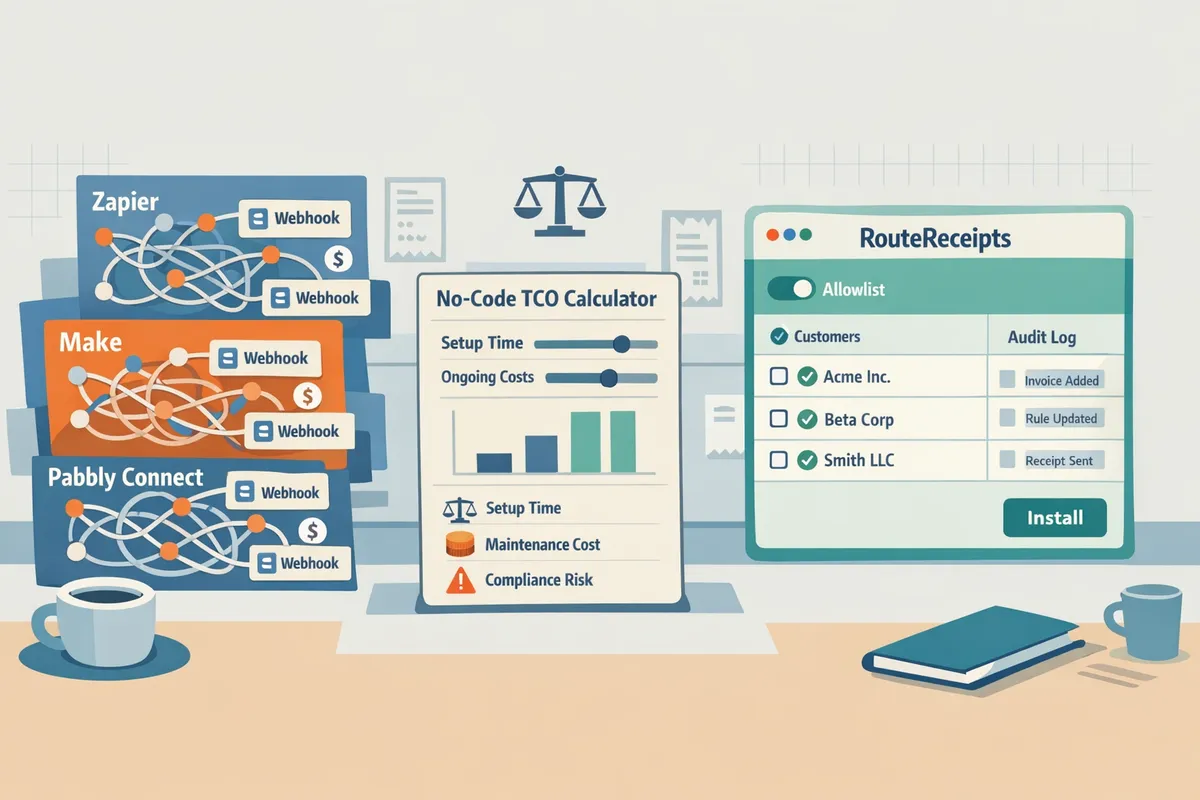
A mid-sized SaaS team can spend 12+ hours a month resolving misrouted Stripe receipts and answering related billing questions. Pabbly Connect vs Zapier vs Make for Stripe receipts is the search query most teams use when comparing no-code platforms to automate selective receipt delivery and choose the lowest TCO. RouteReceipts is a Stripe app that controls which customers receive invoice receipt emails by using an allowlist and a dashboard-native interface. It solves Stripe's all-or-nothing receipt behavior, eliminates custom webhook maintenance, and records routing decisions in an audit log. See the RouteReceipts Stripe setup guide for installation and allowlist configuration, and our no-code TCO resources for the calculator. Which option yields the lowest no-code TCO while keeping receipt noise out of customers' inboxes?
Which platforms can automate Stripe receipts and how does each approach the problem?
Zapier, Make, Pabbly Connect, and Route Receipts can all automate Stripe receipts, but each uses a different operational model that trades off speed, control, and monthly cost predictability. This section summarizes how each platform captures Stripe events, routes or sends receipts, and where they fit against common buyer priorities: setup time, ongoing cost, and auditability. Read the descriptions below to match a platform to your team’s tolerance for maintenance and external action counts.
How does Zapier handle Stripe receipts? 🔄
Zapier is a no-code automation platform that uses Stripe triggers like capture_payment and invoice.payment_succeeded to run downstream actions that forward receipts or construct custom emails. Typical Zapier patterns include a Stripe trigger, a data-mapping step to build the receipt payload, and an email or webhook action that sends the receipt to a provider or internal inbox. A basic Zap takes 15 to 60 minutes to set up and test; adding conditional routing or logging doubles setup and increases monthly action counts. Zapier bills by internal actions, so frequent receipts can raise recurring costs quickly; expect cost growth to track with message volume rather than hours saved. For teams that need selective receipt control without managing webhooks, Route Receipts offers a dashboard-native allowlist option; see our RouteReceipts Stripe setup docs for the install flow.
⚠️ Warning: Disable Stripe automatic receipts only after you have tested your automation and confirmed duplicate protection; otherwise customers may receive two emails.
How does Make handle Stripe receipts? 🧭
Make is a visual automation builder that chains webhooks and API calls into multi-step receipt workflows with conditional routing and retries. Teams choose Make when receipts must follow business logic such as routing by country, currency conversion rules, or sending an extra copy to accounting systems. Typical configuration time ranges from one hour for a simple flow to several days for complex, multi-branch scenarios; maintenance time rises with the number of conditional branches. Make exposes more granular retry controls and explicit error paths than Zapier, which helps reduce failed deliveries in high-volume workflows but increases the operational burden to monitor and tune scenarios. If you want selective receipt delivery without building complex error handling, consult our beginner guide on selective delivery in the Stripe dashboard at The No‑Code Way to Route Customer Receipts in Stripe.
How does Pabbly Connect handle Stripe receipts? 💲
Pabbly Connect is a no-code automation tool that uses a different task model and lower pricing to handle straightforward Stripe receipts automations. Common Pabbly flows forward Stripe invoice events to Gmail, Slack, or a CRM and map a small set of fields; those simple flows often reduce monthly cost for teams processing steady, predictable volumes. The trade-offs appear when you require advanced routing, strict audit logs, or fine-grained retry behaviour; Pabbly can do conditional branches but lacks the same visual error-path tooling and enterprise audit features found in Make or a dashboard-native app. If your priority is low monthly spend and you only need basic email forwarding, Pabbly Connect is worth testing for pabbly connect stripe receipts automation before committing to a heavier orchestration model. Route Receipts remains the lower-maintenance choice when selective delivery and an audit trail matter more than per-action cost.
How does Route Receipts handle Stripe receipts? 🔒
Route Receipts is a Stripe app that manages selective receipt distribution via an allowlist and records each routing decision in an audit log without requiring external webhooks. Installation happens in the Stripe Marketplace and is dashboard-native; after install you can add customers to an allowlist, configure whether to disable Stripe automatic receipts, and view decision history in the app. Our RouteReceipts Stripe setup docs walk through safe installation and the exact steps to disable Stripe automatic receipts to avoid duplicates. For common questions about plan limits, data handling, and installation, see the RouteReceipts FAQ and our privacy policy. Using Route Receipts removes ongoing maintenance of external automations and avoids per-action billing, which makes it a practical option for teams that need selective delivery, compliance-friendly logs, and minimal engineering upkeep.
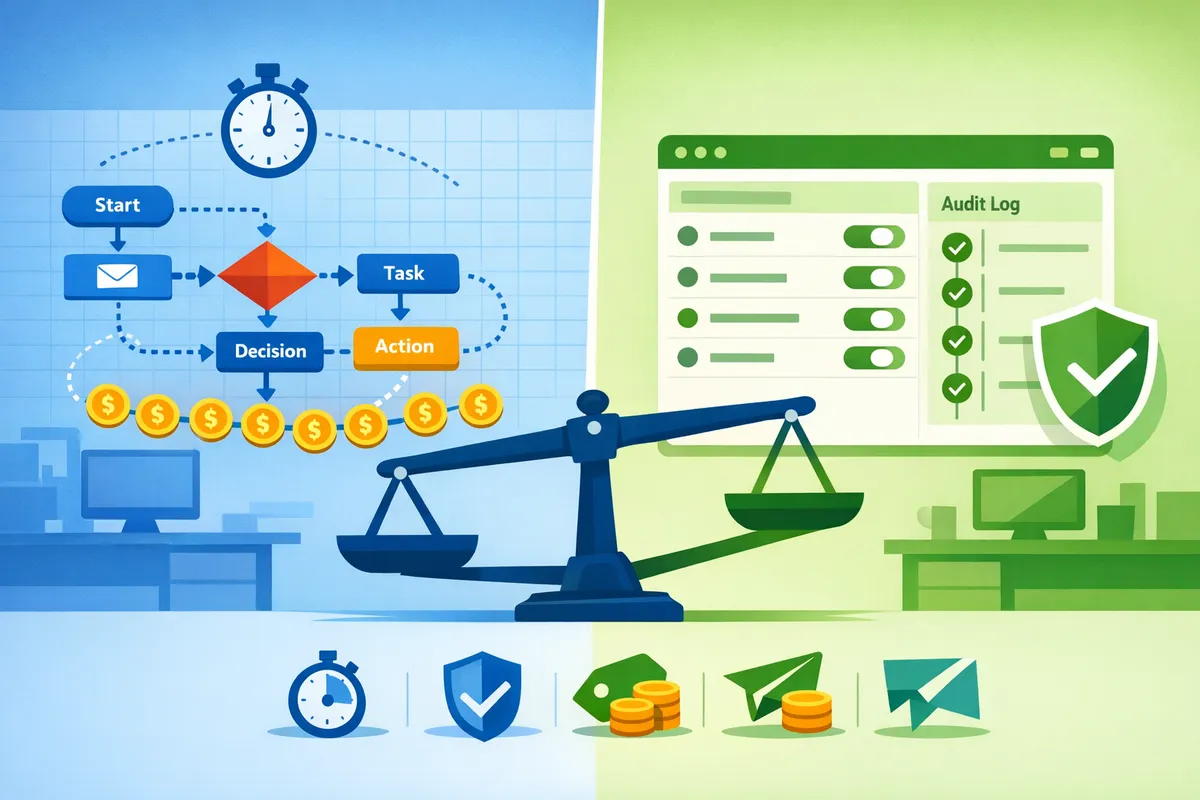
How do these platforms compare side-by-side on setup time, reliability, pricing, and deliverability?
RouteReceipts, Zapier, Make, and Pabbly Connect trade setup speed for control and cost predictability in different ways. This side-by-side view highlights where each approach adds upkeep or reduces risk so finance and ops teams can pick the lowest TCO for selective Stripe receipt routing. The table and examples below let you plug in your receipt volume and staffing assumptions.
What comparison criteria matter and how should you score them? 🎯
Use setup time, monthly maintenance hours, cost per receipt, reliability (successful delivery rate), deliverability controls, and auditability as your standardized criteria. Scoring guidance: 1 (low)–5 (high) where higher means better for your business (e.g., lower maintenance = 5). Collect these data points from vendor docs, a 1–2 week pilot, and your billing dashboard to avoid guessing.
Key data sources to record before scoring:
- Vendor action model and pricing page (how they count tasks or operations).
- Platform logs or task history for a pilot batch of 100 receipts.
- Email provider deliverability reports (bounces, spam complaints).
- Internal time tracking for setup and weekly maintenance tasks.
How internal task counting impacts monthly bills. Count each automated step you run per receipt (webhook, filter, formatter, email send). Multiply actions per receipt by receipts/month and by vendor cost-per-action or by the tiered plan's included tasks to compare real monthly spend.
Side-by-side comparison table: features, failure modes, and maintenance overhead 🗂️
The table below compares setup steps, expected failure modes, retry behavior, maintenance burden, audit logging, receipt selection control, and cost model for each platform.
| Platform | Typical setup time | Required steps (typical) | Typical failure modes | Retry capability | Maintenance burden (hrs/month) | Audit logging | Receipt selection control | Cost model |
|---|---|---|---|---|---|---|---|---|
| Zapier | 30–90 minutes | Connect Stripe webhook → filter → formatter → email action | Task exhaustion, missed webhooks, email provider auth issues | Automatic retries for recent tasks; manual re-run in history | 1–4 | Task history and run details | Manual filters; no dashboard-native allowlist | Per-action billing or tiered plans |
| Make | 1–3 hours | Visual scenario with modules: webhook, iterator, formatter, mailer | Complex scenarios can fail on module errors or rate limits | Built-in retries and granular error handlers | 2–6 | Execution history with module traces | Rule-based filters in scenarios; no native allowlist | Per-operation billing on some plans |
| Pabbly Connect | 20–60 minutes | Webhook → route → send; fewer internal ops for simple flows | Task limits, occasional webhook delays | Simple retries; re-run failed executions | 1–3 | Execution logs | Filters possible; fewer internal ops can lower cost for simple flows | Flat plans with generous included ops or lower per-action cost (varies) |
| RouteReceipts | 10–30 minutes (Stripe Marketplace install) | Install from Stripe → disable Stripe's auto receipts → configure allowlist → enable | Duplicate if Stripe auto receipts left on; allowlist misconfig | Decision-based routing avoids many retries; audit log shows actions | 0.5–1.5 | Decision audit log tied to Stripe events | Dashboard-native allowlist for selective sends | Tiered pricing; free plan includes 20 receipts/month |
Pricing and TCO mechanics (calculator inputs and example scenarios) 💰
TCO depends on how each vendor counts internal operations, expected monthly receipts, maintenance hours, and remediation costs for failed deliveries. To model TCO use these inputs:
- Receipts per month.
- Actions per receipt (webhook + filter + format + send = example 4 actions).
- Vendor cost model (per-action cost or monthly plan fee and included actions).
- Maintenance time per month (hours) and staff hourly rate.
- Deliverability remediation cost per failed receipt (time or paid deliverability service).
- One-off setup time and any professional services fees.
Example calculations (assumes an example flow of 4 actions per receipt and illustrative per-action cost of $0.0015; these numbers are for demonstration only):
- 100 receipts/month. Actions = 400. Hypothetical per-action cost = $0.60/month. Staff maintenance 2 hrs/month @ $60/hr = $120. Total TCO = $120.60 plus any fixed subscription.
- 1,000 receipts/month. Actions = 4,000. Hypothetical per-action cost = $6.00/month. Staff maintenance 3 hrs/month = $180. Total TCO = $186.00 plus subscription.
- 10,000 receipts/month. Actions = 40,000. Hypothetical per-action cost = $60/month. Staff maintenance 5 hrs/month = $300. Total TCO = $360.00 plus subscription.
How the platforms diverge under this model:
- Zapier and Make: per-action billing makes high-volume flows scale linearly; you must count every module.
- Pabbly Connect: often more predictable for simple flows because fewer internal ops are counted on basic workflows, which lowers variable costs for pabbly connect stripe receipts automation.
- Route Receipts: a tiered plan with a small free allowance reduces TCO when you only need selective routing; RouteReceipts starts with a free plan that includes 20 receipts per month and then scales via paid tiers. Check the RouteReceipts plan details in the docs before finalizing your model.
Use our calculator inputs above to plug in your real per-action price and staff rates to compare run-rate spend across the four options.
Deliverability, data handling, and compliance considerations 🔐
Deliverability depends on sender reputation, proper headers, suppression handling, and actionable bounce reporting. For each platform verify whether the platform sends from your verified domain, whether it preserves DKIM/SPF headers, and how it surfaces bounces and complaints.
Platform-specific notes:
- Zapier and Make typically hand email sending off to a connected mail provider; deliverability depends on the configured sender.
- Pabbly Connect can integrate with SMTP or third-party mailers; simpler billing may mean you need to manage deliverability outside the automation tool.
- RouteReceipts routes via Stripe events and maintains decision context; check the decision audit log and RouteReceipts' privacy policy for details on what Stripe account data is read and retained. See RouteReceipts' docs for setup and data handling and the privacy policy for retention practices.
💡 Tip: Use a verified sending domain or your transactional mail provider (SES, Postmark, SendGrid) for receipt sends to protect sender reputation and reduce bounce rates.
For compliance, confirm GDPR or regional data rules with each vendor and document where webhook payloads and logs are stored. RouteReceipts documents installation and data practices in the docs and FAQ, which helps with audits and privacy reviews.
⚠️ Warning: Audit data flows and review RouteReceipts' privacy policy before connecting production Stripe accounts.
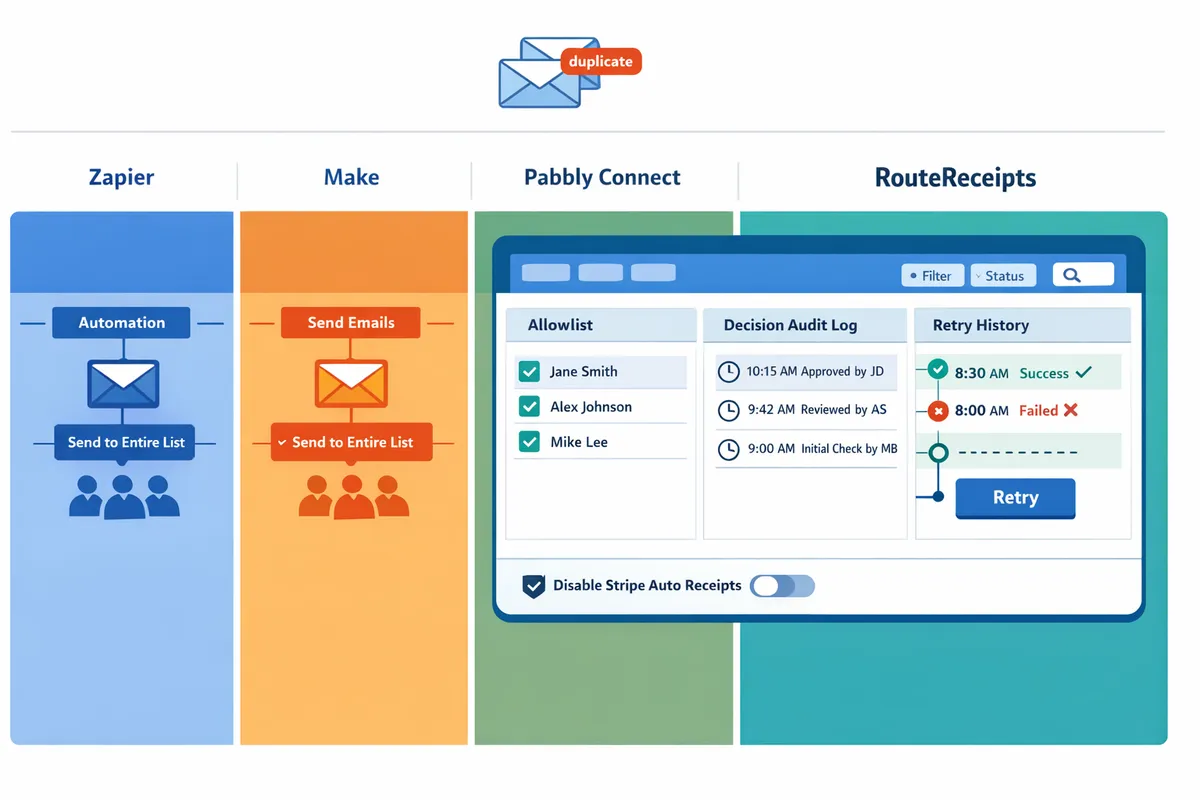
For a practical walkthrough of why selective routing matters and how RouteReceipts was designed, see Why Did We Build Route Receipts? and the beginner's guide, The No‑Code Way to Route Customer Receipts in Stripe: Beginner’s Guide to Selective Delivery. For step-by-step installation and troubleshooting, consult the RouteReceipts documentation and the Frequently Asked Questions.
Which option should you choose for selective Stripe receipt delivery and how to calculate ROI?
Route Receipts is usually the best choice when selective, low-maintenance receipt delivery and clear auditability matter more than broad third-party integrations. Teams that want dashboard-native allowlist control and a decision audit log will typically spend less time on upkeep and troubleshooting than teams building webhook flows in Zapier, Make, or Pabbly Connect.
Decision framework: which signals point to Route Receipts? 🧭
Choose Route Receipts when you need dashboard-native allowlist control, an audit trail, and low ongoing maintenance. Route Receipts lives in the Stripe dashboard so product, finance, and support teams can add or remove recipients without engineering changes. Look for these buyer signals:
- Receipt volume and rule frequency. If you process recurring receipts and apply selective routing to a consistent subset, Route Receipts reduces rule churn and management time.
- Compliance and audit needs. If finance must show who received which receipt and when, Route Receipts’ decision audit log provides that record without building custom logging.
- Limited engineering bandwidth. If your team cannot support ongoing webhook maintenance, the dashboard-based model moves control out of the dev queue.
- Cost predictability needs. Teams worried about variable per-action bills from automation platforms should test fixed or tiered plans against projected volumes.
For background on product rationale and operational trade-offs, read Why Did We Build Route Receipts? and the beginner's guide to dashboard-based routing.
💡 Tip: If you plan to try multiple approaches, document the expected rule-change cadence (changes/month) before you start; this number drives maintenance costs.
Step-by-step implementation plan and time estimates 🚀
A straightforward Route Receipts deployment follows five steps and often finishes in under two hours for simple setups. Follow these steps with the linked docs for screenshots and validation checks.
- Install Route Receipts from the Stripe Marketplace. (10–20 minutes.) See the Stripe setup guide in the documentation for permissions and OAuth steps.
- Disable Stripe’s automatic receipts to prevent duplicates. (5 minutes.) The FAQ explains common duplicate scenarios.
- Create an allowlist and map customer identifiers (email or Stripe customer ID). (15–30 minutes.) Start with 5–10 pilot customers to validate logic.
- Send test invoices and verify routed receipt emails and audit entries. (10–20 minutes.) Confirm deliverability and header/footer rendering.
- Monitor the audit log and set one-week cadence reviews for adjustments. (15–30 minutes initial week; ongoing weekly checks optional.)
If you expect complex routing rules or CRM enrichment, add a 1–2 day buffer for coordination with marketing or finance.
TCO calculator walkthrough and break-even examples 📊
A practical TCO calculator uses four inputs: per-action cost on the automation platform, expected monthly receipt volume, weekly maintenance hours, and remediation cost for email deliverability issues. Plugging those values shows which option breaks even.
Calculator formula (monthly):
- Automation platform cost = per-action cost × receipts processed.
- Maintenance cost = weekly maintenance hours × hourly rate × 4.33.
- Deliverability remediation = monthly estimate for bounce handling or domain warm-up.
- Route Receipts cost = your chosen plan fee (or trial) + minimal maintenance.
Worked examples (assumptions listed so you can replace them): per-action cost = $0.002, hourly rate = $60, remediation = $50/month.
- 100 receipts/month. Automation cost = $0.20. Maintenance = 2 hours/week → $520/month. Total ≈ $570. Manual automation clearly costs more in staff time.
- 1,000 receipts/month. Automation cost = $2.00. Maintenance ≈ $520/month. Total ≈ $522. At this volume, automation fees stay small; maintenance dominates.
- 10,000 receipts/month. Automation cost = $20.00. Maintenance unchanged → Total ≈ $540. High-volume teams should compare fixed pricing tiers or negotiated plans to limit per-item costs.
How to reproduce in a spreadsheet:
- Create cells for receipts/month, per-action cost, weekly maintenance hours, hourly rate, remediation cost, route-app monthly fee.
- Compute automation = receipts × per-action cost.
- Compute maintenance = weekly hours × hourly rate × 4.33.
- Sum costs and compare to route-app fee.
These examples show maintenance hours often drive TCO more than per-action fees. Replace assumptions with your contract numbers to find your break-even.
When to prefer Zapier, Make, or Pabbly Connect instead ⚖️
Choose Zapier or Make when you need broad third-party integrations, complex branching logic, or to enrich receipt payloads with CRM and external systems inside one flow. Zapier and Make offer many connectors that reduce bespoke integration work when receipts must update multiple systems.
Choose Pabbly Connect for straightforward automations when your internal-task cost profile is low and you want a simpler pricing model; Pabbly Connect often suits teams focused on a few fixed workflows. Consider these business consequences of DIY webhook automations:
- Increased maintenance hours. Every rule change can add coordination time across support and engineering.
- Unpredictable bills. High-volume bursts or extra steps can multiply per-action costs if the platform counts internal actions.
- Compliance and audit gaps. Custom flows need consistent logging to satisfy finance or legal requests.
If your primary need is selective delivery and auditability inside Stripe, Route Receipts reduces those risks by keeping control in the Stripe UI. For guidance comparing per-platform task pricing and operational overhead, reference zapier vs make vs pabbly pricing internal tasks and pabbly connect stripe receipts automation analyses.
Suggested ready-to-use templates and next steps ✅
Start by validating routing with small, repeatable templates that map to common business needs. Route Receipts supports each template as the selective-routing control point, while Zapier, Make, or Pabbly can add enrichment where needed.
- Selective email-only receipts. Use Route Receipts allowlist rules to send receipts only to chosen customers. Test with a 10-customer pilot and confirm audit entries.
- Receipts + CRM logging. Route Receipts decides delivery; a webhook or Zapier/Make scenario logs the invoice to Salesforce or HubSpot for teams that need consolidated records.
- Receipts + Slack alert. Route Receipts handles customer delivery; send a lightweight Slack notification from Zapier or Make to billing ops when high-value receipts route.
- Refunds handling. Create a rule to notify finance when a refunded invoice would have triggered a receipt and log the event in your accounting system.
Next steps: try Route Receipts’ dashboard flow to validate allowlist rules, consult the setup Documentation for step-by-step instructions, and read the FAQ for common troubleshooting tips. For an operational perspective on why a dashboard-native app reduces engineering load, read Why Did We Build Route Receipts? and the beginner's guide to selective delivery.
Frequently Asked Questions
This FAQ answers the most common commercial and technical questions finance and RevOps teams ask when comparing Pabbly Connect, Zapier, Make, and RouteReceipts for Stripe receipt workflows. Use these answers to supply inputs to the TCO calculator and to decide whether a dashboard-native allowlist or a general automation platform fits your operational constraints.
Can I use Pabbly Connect to send Stripe receipts selectively? 🔁
Yes, Pabbly Connect can send Stripe receipts selectively by using Stripe triggers and conditional steps. Set up a Stripe payment or invoice trigger, add conditional filters for customer segments or metadata, and use an email action to send the receipt only when conditions match. Typical setups require you to maintain rules inside Pabbly and to log each routed receipt externally (for auditability), which increases operational overhead as rules multiply. Pabbly counts each action toward your monthly usage, so workflows that perform logging, formatting, and retry logic will raise costs. If you prefer a dashboard-native allowlist and built-in audit trail, RouteReceipts reduces manual rule maintenance; see the RouteReceipts Stripe setup docs for install and allowlist patterns.
How do pricing models affect monthly cost for receipt volumes? 💸
Platform pricing models determine whether your monthly cost scales with receipt volume or stays predictable under flat tiers. For accurate TCO inputs, use receipts per month, the percentage that require selective delivery, the average actions per receipt (formatting, logging, retries), and an expected retry/failure rate. Zapier bills by completed tasks. Make counts operations including internal module runs. Pabbly charges actions. Those differences change the multiplier you apply to receipts-per-month in the calculator. Run scenarios for 100, 1,000, and 10,000 receipts to compare linear per-action costs against flat-tier subscriptions and to estimate the break-even point where a dashboard-native tool like RouteReceipts (which focuses on routing rather than broad orchestration) becomes cheaper because it avoids per-receipt orchestration actions.
Will RouteReceipts handle refunds, multiple currencies, and tax receipts? 🔄
Yes, RouteReceipts routes receipts using Stripe invoice and payment events and supports refunds and multi-currency payments while leaving tax details in Stripe invoice metadata. RouteReceipts evaluates the incoming Stripe event, applies allowlist rules and decision logic, and either emits the routed receipt or suppresses it. For tax receipts, keep tax calculations and VAT/GST metadata in Stripe so the routed email shows the same invoice details your accounting team expects. Review the RouteReceipts documentation for edge-case guidance and recommended test cases for refunds and cross-currency invoices.
Is RouteReceipts secure and how does it handle Stripe account data? 🔒
RouteReceipts stores only the minimal Stripe account data required to make routing decisions and records routing decisions in an audit trail. The app writes allowlist entries and decision logs back to your account in ways described in the RouteReceipts privacy policy, and you should review that policy before installing in production. RouteReceipts' docs explain retention, third-party processing, and how to revoke access. For production readiness, audit the data flows between your Stripe account, RouteReceipts, and any downstream tools and confirm your internal security controls cover those connections.
⚠️ Warning: Audit data flows and review RouteReceipts' privacy policy before connecting production Stripe accounts.
Can I combine RouteReceipts with Zapier, Make, or Pabbly Connect? 🔗
Yes, combining RouteReceipts for selective routing with Zapier, Make, or Pabbly Connect for enrichment actions is a common pattern. Use RouteReceipts to keep routing decisions simple and auditable, then call a platform like Zapier or Make to perform non-routing work: CRM logging, Slack alerts, accounting syncs, and custom formatting. This separation limits duplicate sends, reduces per-receipt action counts (lowering automation costs), and centralizes allowlist management in the Stripe dashboard. See Why Did We Build Route Receipts? for the rationale behind keeping routing native to Stripe and our blog for example hybrid templates.
What are the fastest troubleshooting steps for missing or duplicate receipts? 🛠️
Start by confirming Stripe's automatic receipt setting and then check RouteReceipts' decision audit log or your automation platform's execution history to find the event and action outcome. Follow this checklist:
- Verify Stripe automatic receipts are enabled or disabled as intended in the Billing settings.
- Search the RouteReceipts decision audit log or the automation platform's run history for the invoice or payment ID.
- If missing, confirm the allowlist rule matched the customer; if not, update the rule and re-send the receipt from Stripe or RouteReceipts.
- If duplicate sends occurred, identify whether both Stripe and RouteReceipts (or an automation workflow) dispatched the same receipt and disable the redundant path.
- Re-send the corrected receipt from Stripe or trigger a manual send feature in RouteReceipts; document the fix in your logs.
For step-by-step recovery and testing suggestions, see the RouteReceipts troubleshooting notes in the documentation.
Pick the right tool for selective Stripe receipt routing. RouteReceipts often offers the lowest no-code TCO when your goal is audited, selective delivery.
RouteReceipts is a specialized application designed to enhance the way businesses manage their Stripe receipt distribution. This app addresses a significant limitation within Stripe's native functionality, which traditionally forces businesses to either send receipts to all customers or none at all. RouteReceipts empowers businesses with the flexibility to selectively send receipts to specific customers, thereby preventing unnecessary email clutter for those who do not require them. This is particularly beneficial for businesses with diverse customer bases, such as enterprise clients who need receipts for expense tracking and others who prefer not to receive them. By integrating directly into the Stripe dashboard, RouteReceipts allows users to manage an allowlist of customers effortlessly, without the need for complex coding or custom webhook integrations. The application features a dashboard-native user interface, a decision audit log for transparency, and a straightforward setup process via the Stripe Marketplace. RouteReceipts offers a tiered pricing model, starting with a free plan that includes 20 receipts per month, with the option to upgrade for higher volume needs. This solution is ideal for businesses seeking to streamline their financial communications and maintain a professional relationship with their clients by ensuring that only necessary communications are sent.
When accuracy matters for a costume, it is worth considering how details related to anime cosplay costumes will affect the complete look. With practical wear in mind, reviewing details related to character costumes also makes comfort and movement easier to judge. To organise preparations involving details related to festival costumes, anime cosplay costumes with matching shoes can help narrow the options for a specific purpose. For an outfit that feels convincing, a balanced view of details related to cosplay accessories can support both detail and comfort.
For a practical comparison like Pabbly Connect vs Zapier vs Make for Stripe receipts, weigh per-task pricing against maintenance and audit needs; our Why Did We Build Route Receipts post explains those trade-offs. If you want tailored advice, schedule a consultation to map your receipt routing requirements and next steps. For setup details, see the RouteReceipts Stripe setup in our Documentation and the beginner's No‑Code Way to Route Customer Receipts guide.